كيف تستخدم VoiceClub
1. How to turn on/off Voice Club feature
Please enter your profile page
-[Setting]
-[Function]
-Turn on/off [Voice Club]
-[Confirm]
2. How to open/join a Voice Club
To open a Voice Club:
You can click "Create a room" to open a room
in VoiceClub.
To join a Voice Club:
Click a room to enter and be an audience.
Tap "Join" to be on mic.
If you don't want to be on mic, you can long-press
your profile and click [End mic].
3. How to modify your room info
Please enter your room
-Tap your room profile picture
-Click the gear setting button at the top corner
-Modify your room
4. How to switch your room mode
Room owner/admin may take the first seat
-Tap the setting button at top corner

-[Switch Mode].
*Lite Mode is offline in Sri Lanka & Afghanistan.
5. How to change room theme/background
Please enter your room
-Tap the setting button at top corner
-[Background]
-Select or upload a background photo
Uploading background photo may consume a
background card each time.
You could take part in imo events to obtain it.
6. How to leave Voice Club
You can click the [X] in the upper right
corner to leave the room.
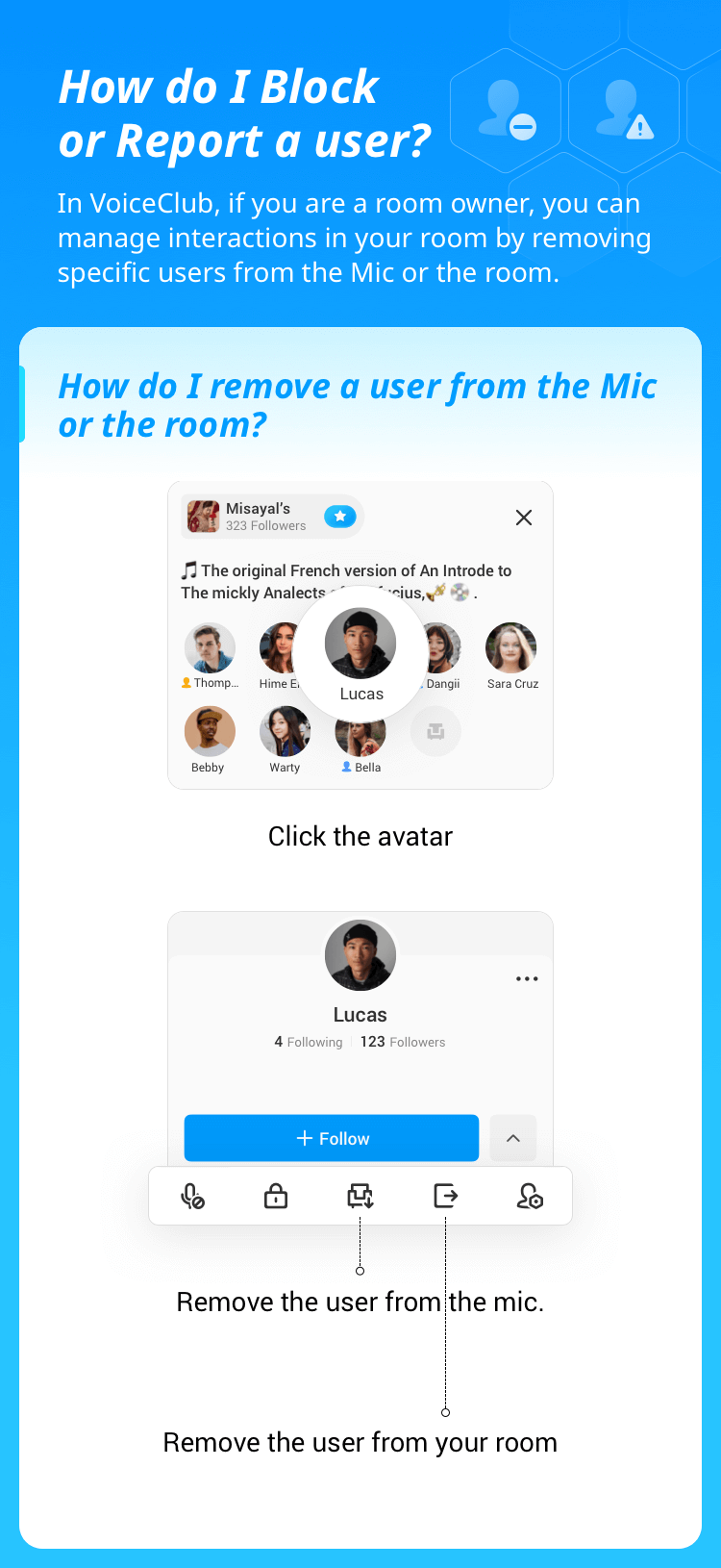
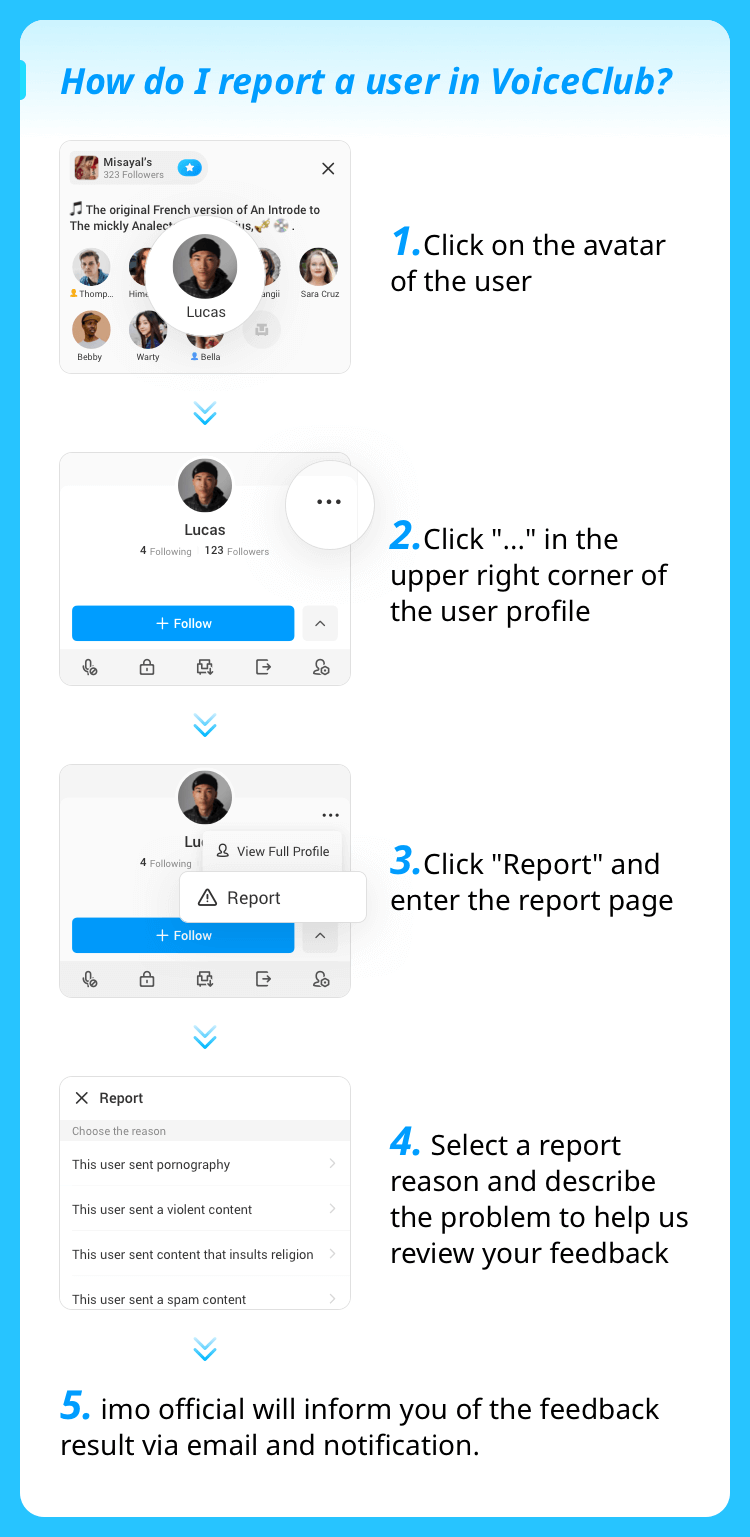
7. How to report
imo team aims at creating a healthy
environment for every user.
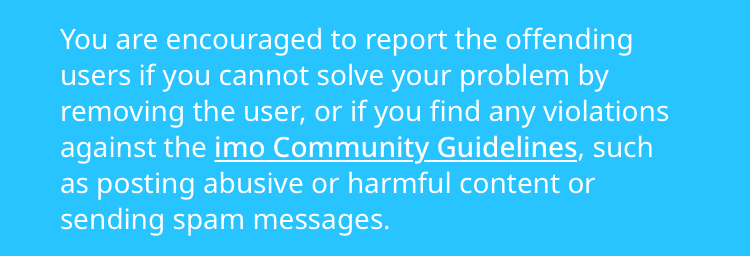
Please report the misbehaved users who
broke the rules as below:
8. How to write a good topic in Voice Club
https://apiact.imoim.net/imoweb-infrastructure-client/template38519/index?lang=en
9. How can my Voice Club be recommended
to imo friends?
You can switch off / on it Recommend to imo
friends in Settings - Privacy.
If it is switched off, your profile will not be
recommended to imo friends.