How to Play Songs in VoiceClub
March 14, 2021 Imoteam
Only group owner/admin may find the entrance in their group. You may upgrade imo then retry. For group owner/admins:
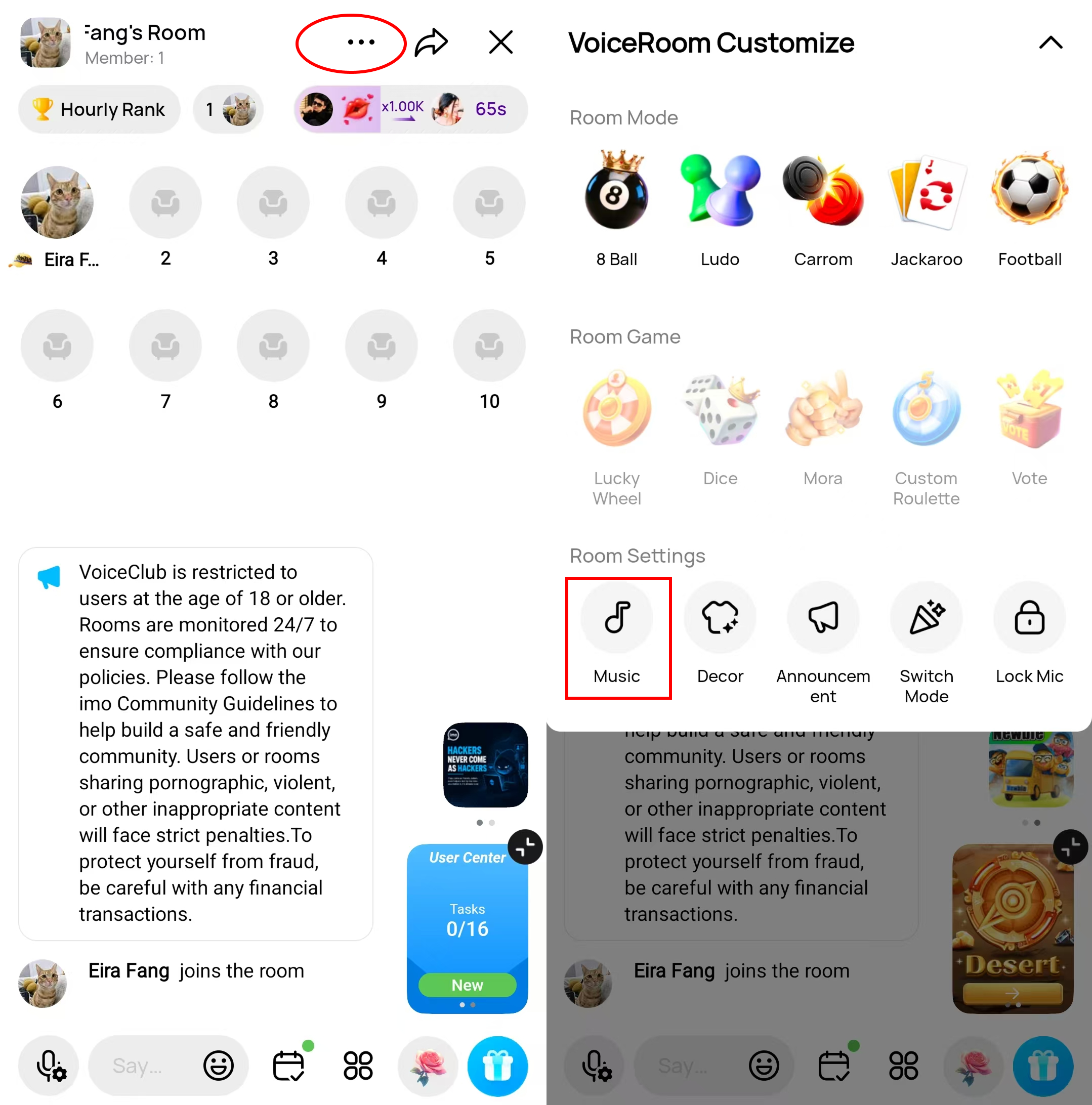
To play music in VoiceClub:
Please enter your room
- Tap the Setting button at the top button
- Music
- Select a song to play
Tips:
1.Please allow related permissions for imo
2.Ensure the songs meet the following requests: 【Audio length: 90s-20min; Audio format: .mp3 or .wav】
3.This feature is not supported on iOS.
4.The group owner/admin has permission to mute members. The muted members can not enter the room.
If you are muted, please contact the group owner/admin to unmute you then retry.