كيفية إدارة الأجهزة؟
Please upgrade imo to the latest version for better security. If your account is hacked or logged in to other devices, you can remove the unknown devices by yourself. After that, the hacker cannot log in to your account without a new code.
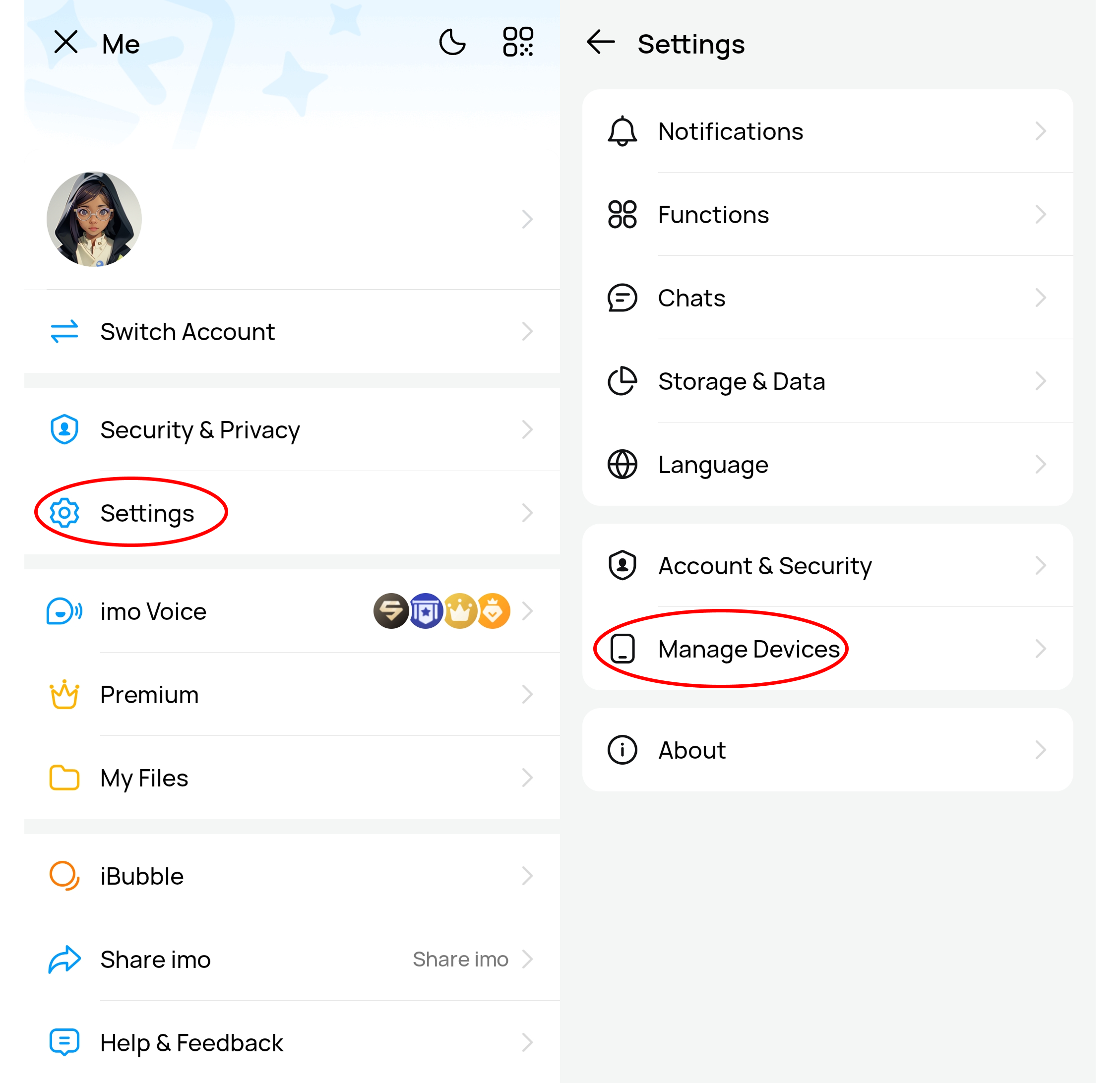
To manage devices/remove other devices, please enter your Profile page;
- [Settings]
- [Manage devices].
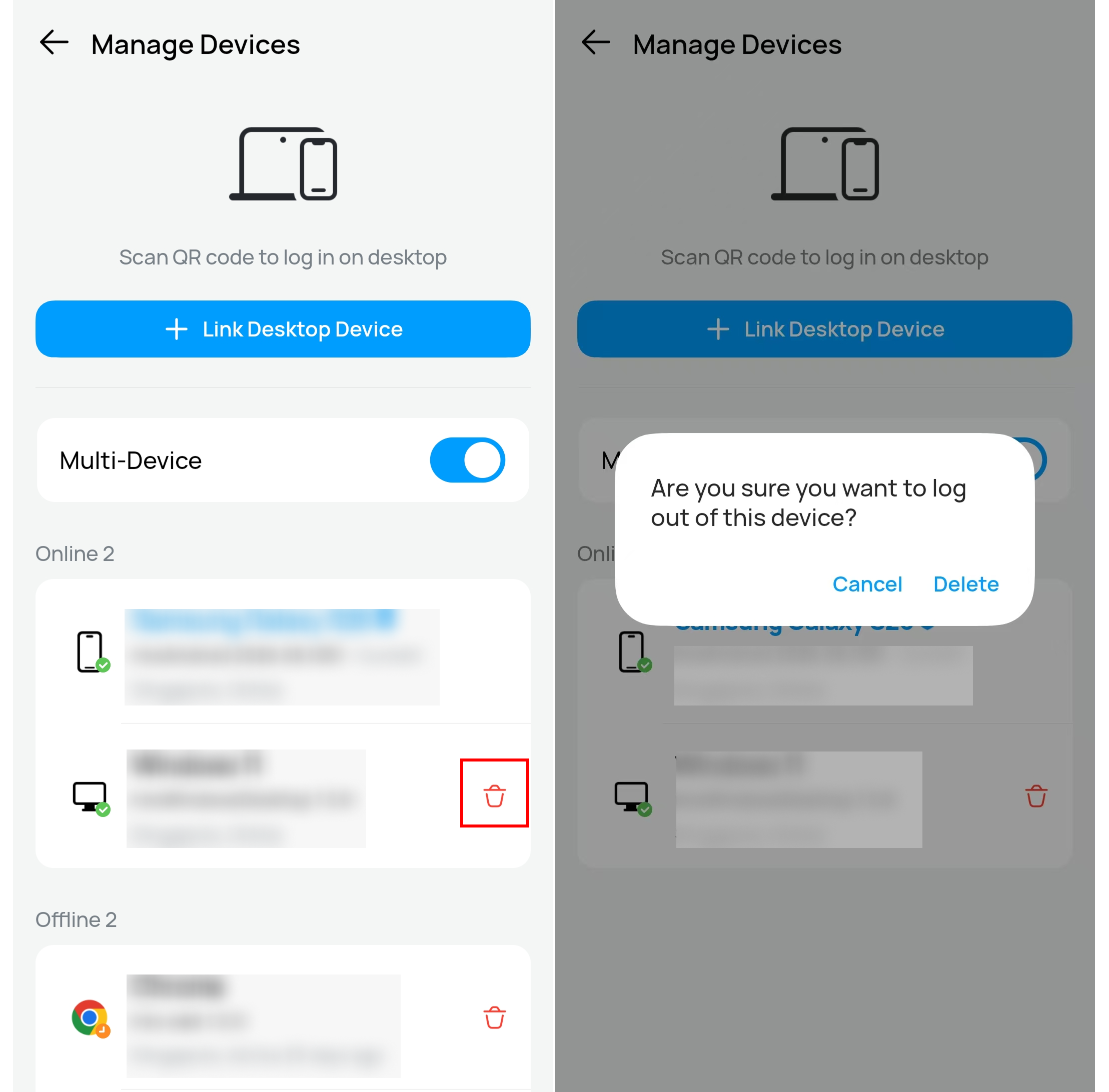
To remove an unwanted device,
- Click the delete button
- Confirm.
Notice:
1. Do not share your verification code with others, download unknown imo app from a third-party website or group, nor log in your imo on other's phones. Imo team will never ask you for your verification code.
2. For security investigation, could you please help to fill in [imo Security Investigation Form] as below:
https://docs.google.com/forms/d/1O8wqOpHtJHArFwdTFHI7T_1UDvzSfYwb_i2iAlGDxE0/edit