How to Unblock Contacts
September 04, 2019 Imoteam
You can unblock a contact in either of the following ways:
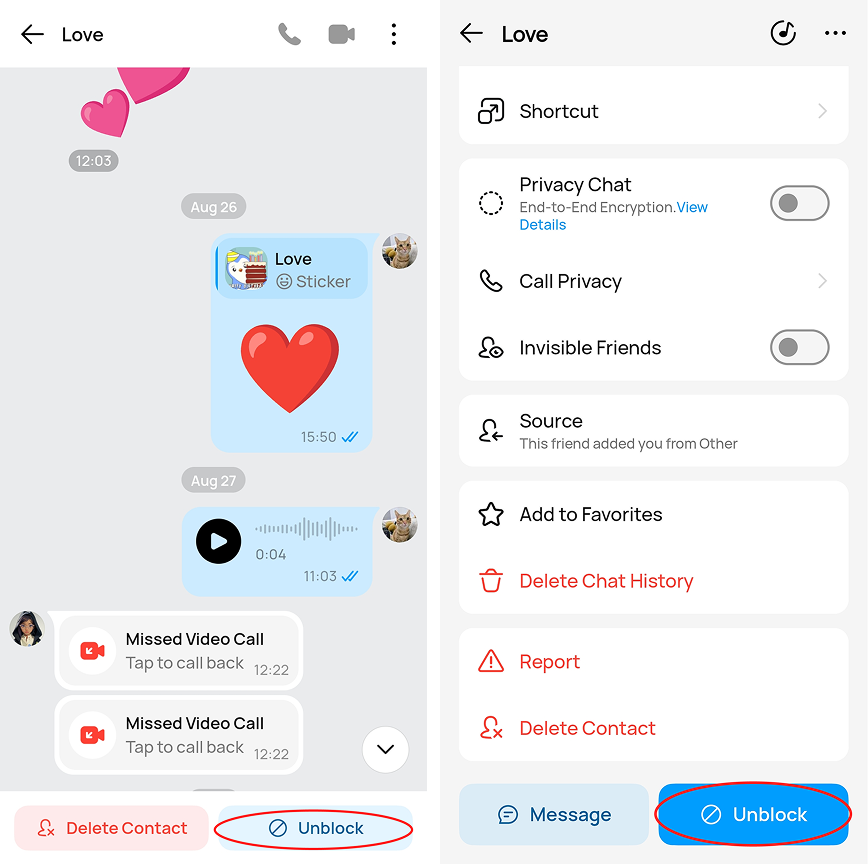
Method 1: From the contact’s profile
> Open the contact’s chat or profile.
> Tap the contact’s name at the top of the chat.
> Scroll to the bottom of the profile page.
> Tap Unblock.
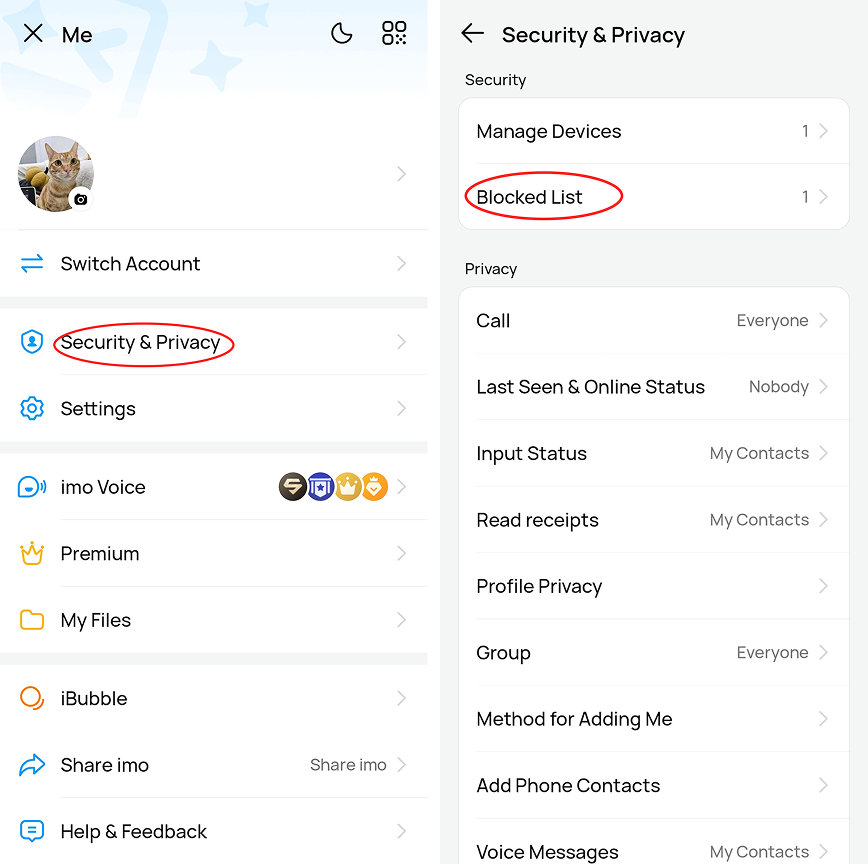
Method 2: From the Blocked List
> Go to Security & Privacy.
> Tap Security.
> Select Blocked List.
> Find the contact you want to unblock and tap Unblock.