How to Make a Group Video Call
March 26, 2020 Imoteam
For private group:
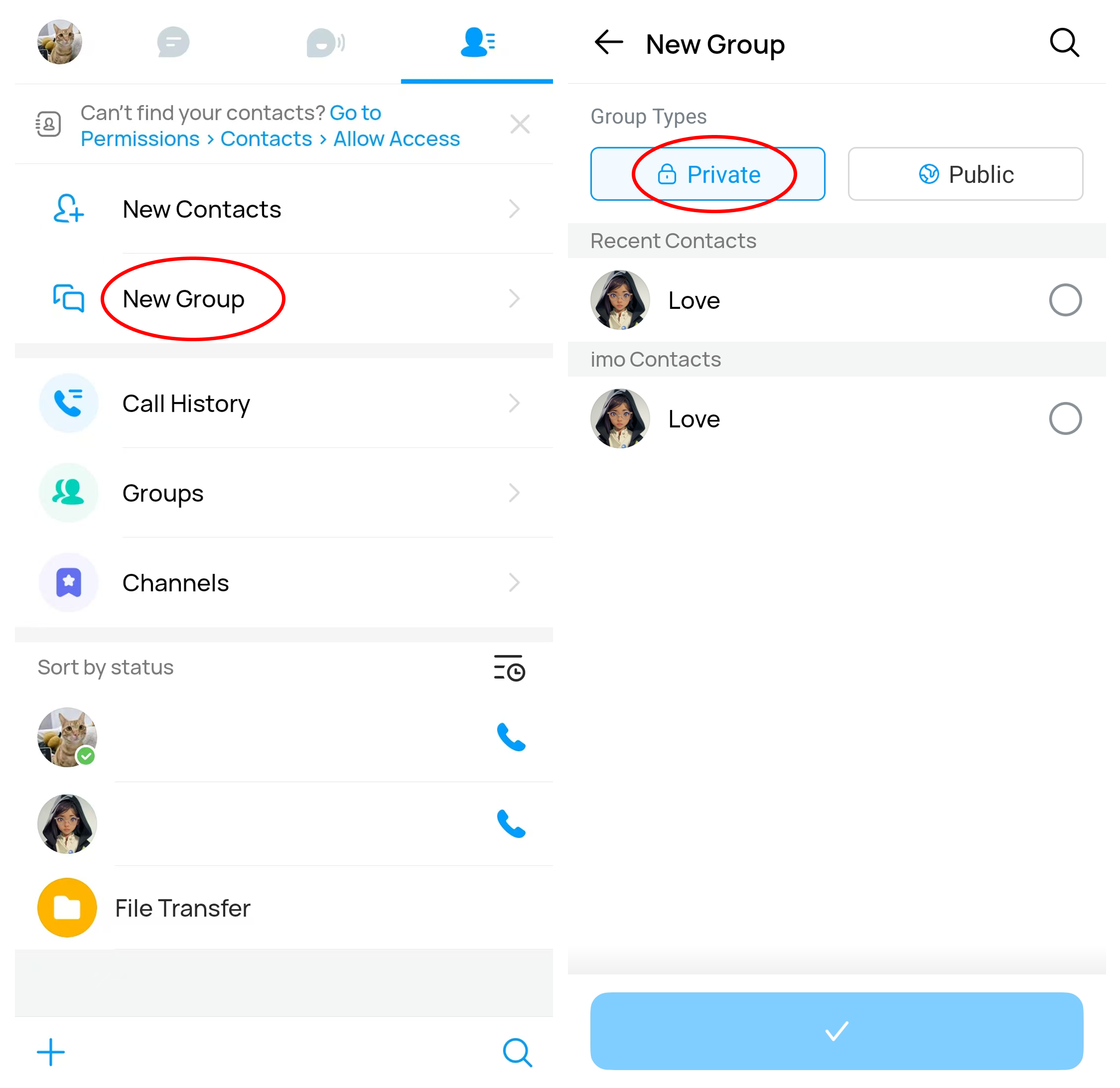
Step 1. Create your private group.
You may enter your Contact page
- New Group Chat
- Create Group and select [Private]
- Select your contacts
- Confirm.
Step 2. Make a group call.
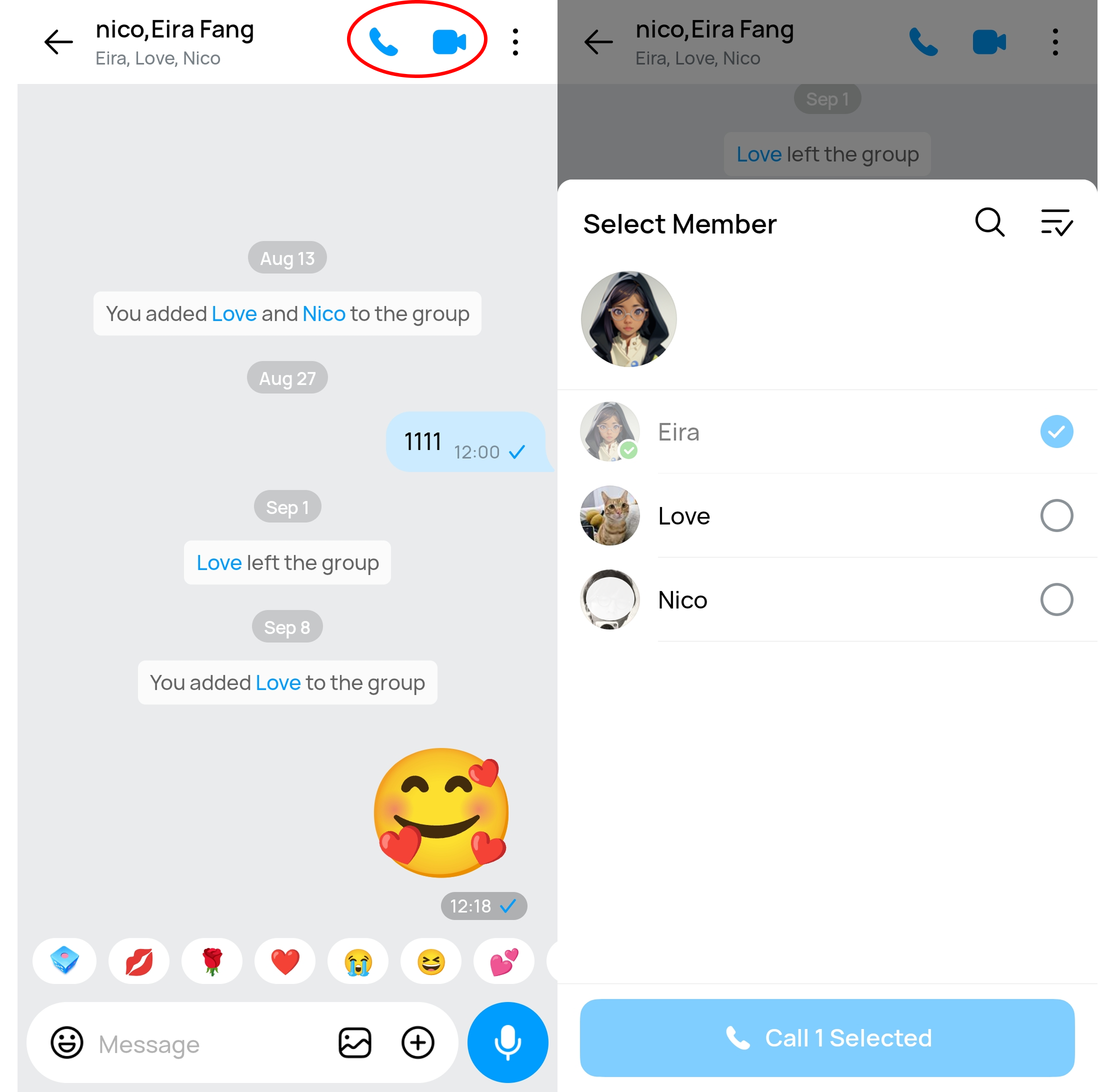
You may enter the group
- Tap the call button on the top right button
- Tap the invitation button at the bottom to invite group members to join in your call.
Tips: Private group call may accept 20 users at a time.