How do I create a Voiceroom in imo?
November 03, 2023 Imoteam
You can create your own Voiceroom using either of the following methods:
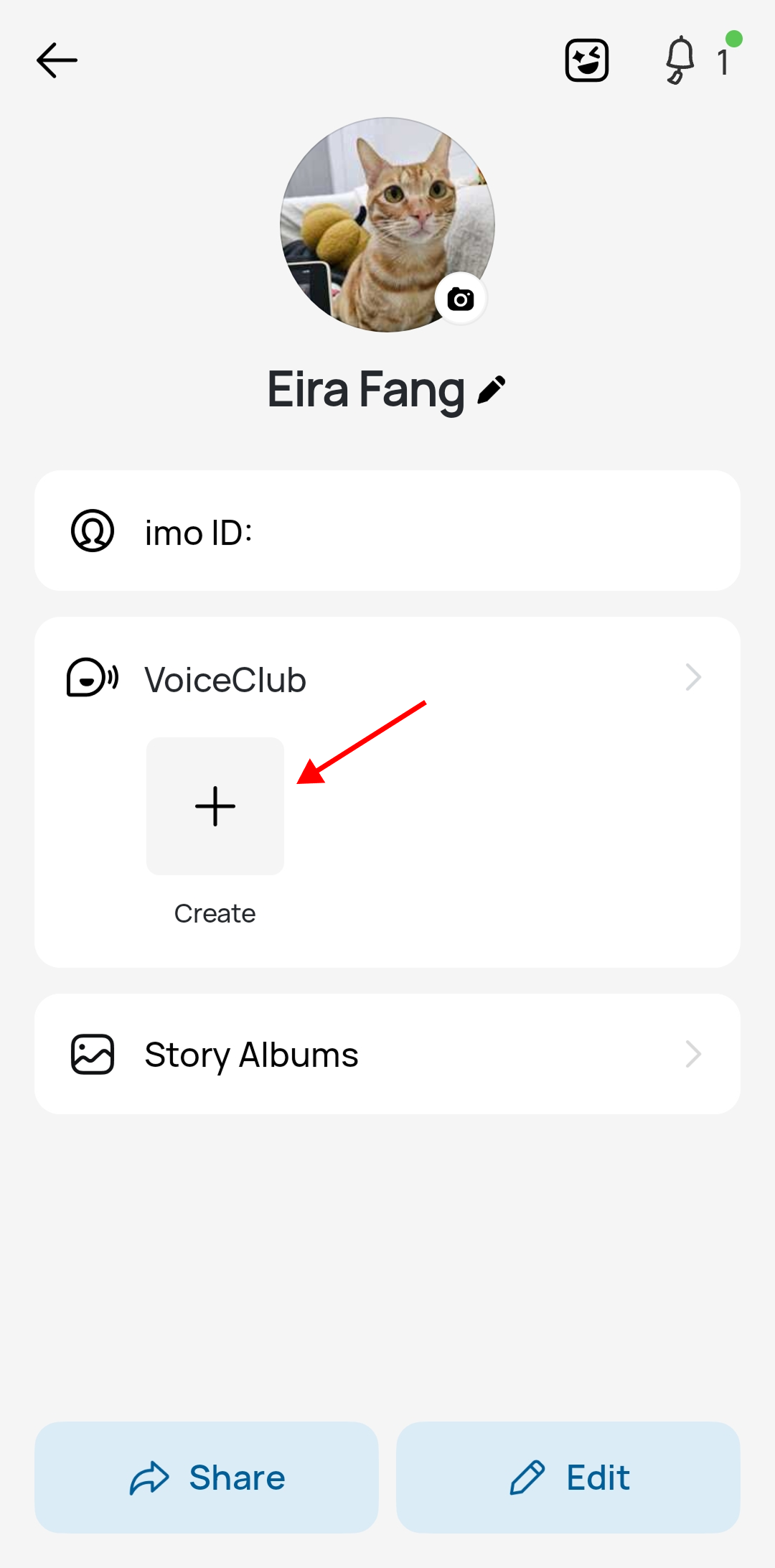
Method 1 (From Profile Page):
Go to your Profile page, tap the VoiceClub section to enter, and then tap the "+" (Create) button.
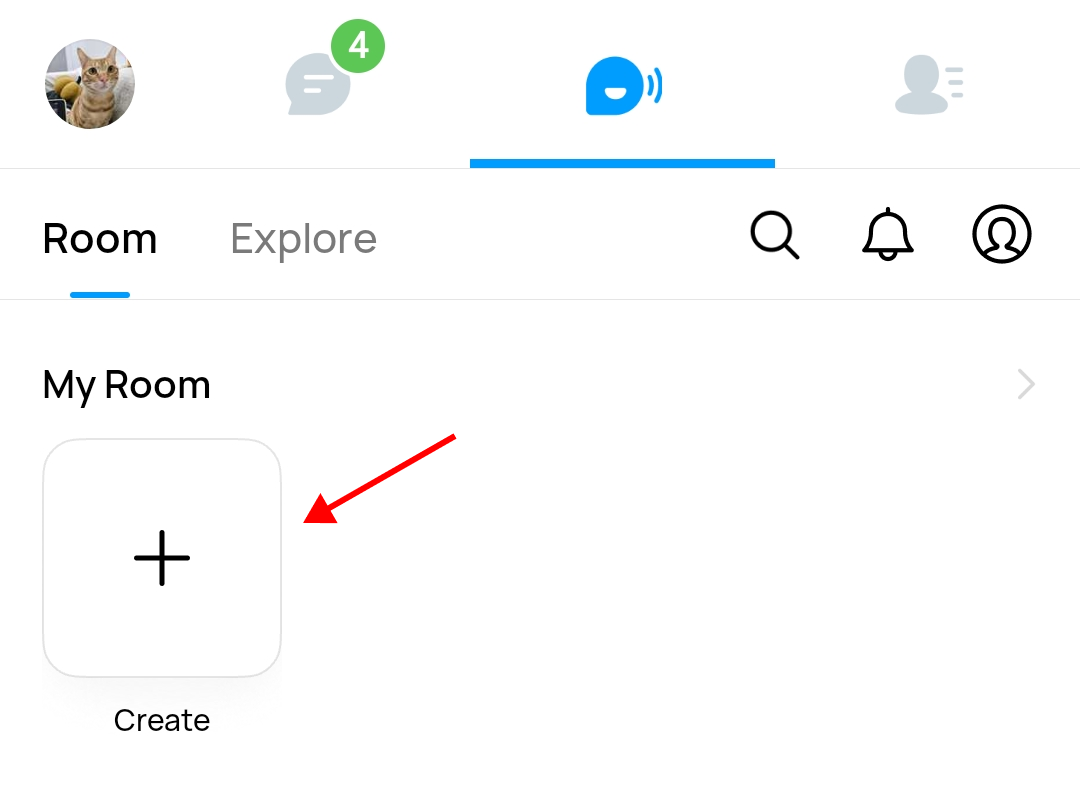
Method 2 (From VoiceClub Tab):
Tap the VoiceClub tab, check My Room, and tap the "+" (Create) button.
📌 Note: One room limit: Each user can only create one Voiceroom. Cannot find the "+" button? Please check if you have already created a room previously. If you already own a Voiceroom, the "+" creation button will no longer be displayed.
Thanks for your support! 🤗