Исчезает история чата
If you can't find some of your chat history, check the following:
1. Disappearing Message
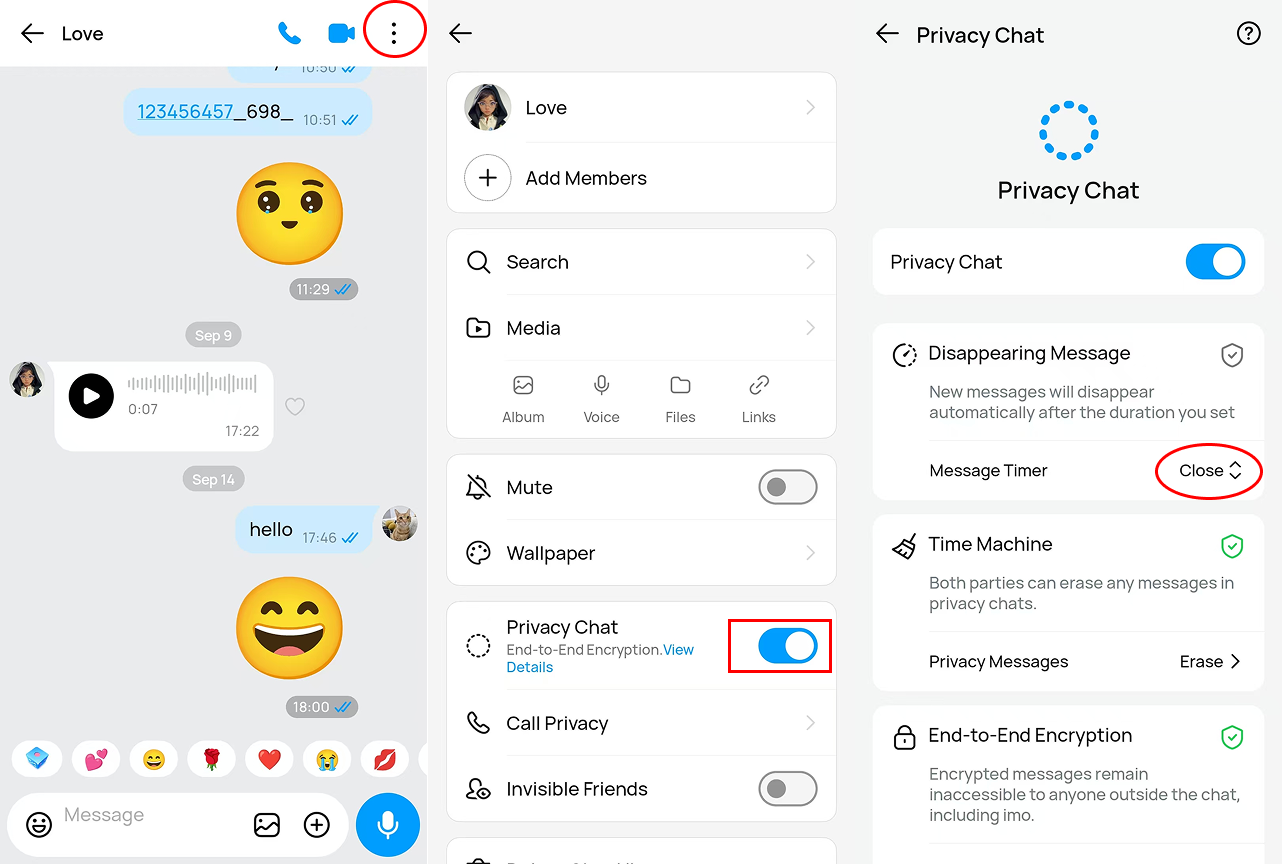
If you have enabled disappearing message, chats between you or the other chat party will be deleted automatically after a pre-set timer. To change disappearing message settings,
- Please enter a chat box on your Chat list
- Tap [...] button on the top right corner
- Choose [Disappearing Message]
- Modify the disappearing timer or disable the feature.
2. Chat History Deleted
In some cases, the other chat party may have deleted messages he/she sent, so you will no longer be able to find his/her chat history.
3. Auto-delete History
Imo keeps chat history for three months. Chat history over three months will disappear automatically.
4. Unloaded Chat History
If you forget to tap the "Tap to load history" icon, your chat history may not be displayed in full. Tap the icon and try again.
5. Retrieved Account
If you ever deleted your account and resumed it, it may only resume your profile, contact list, big groups and block list. It is a pity that chat and other records cannot be retrieved.
6. Unknown Login
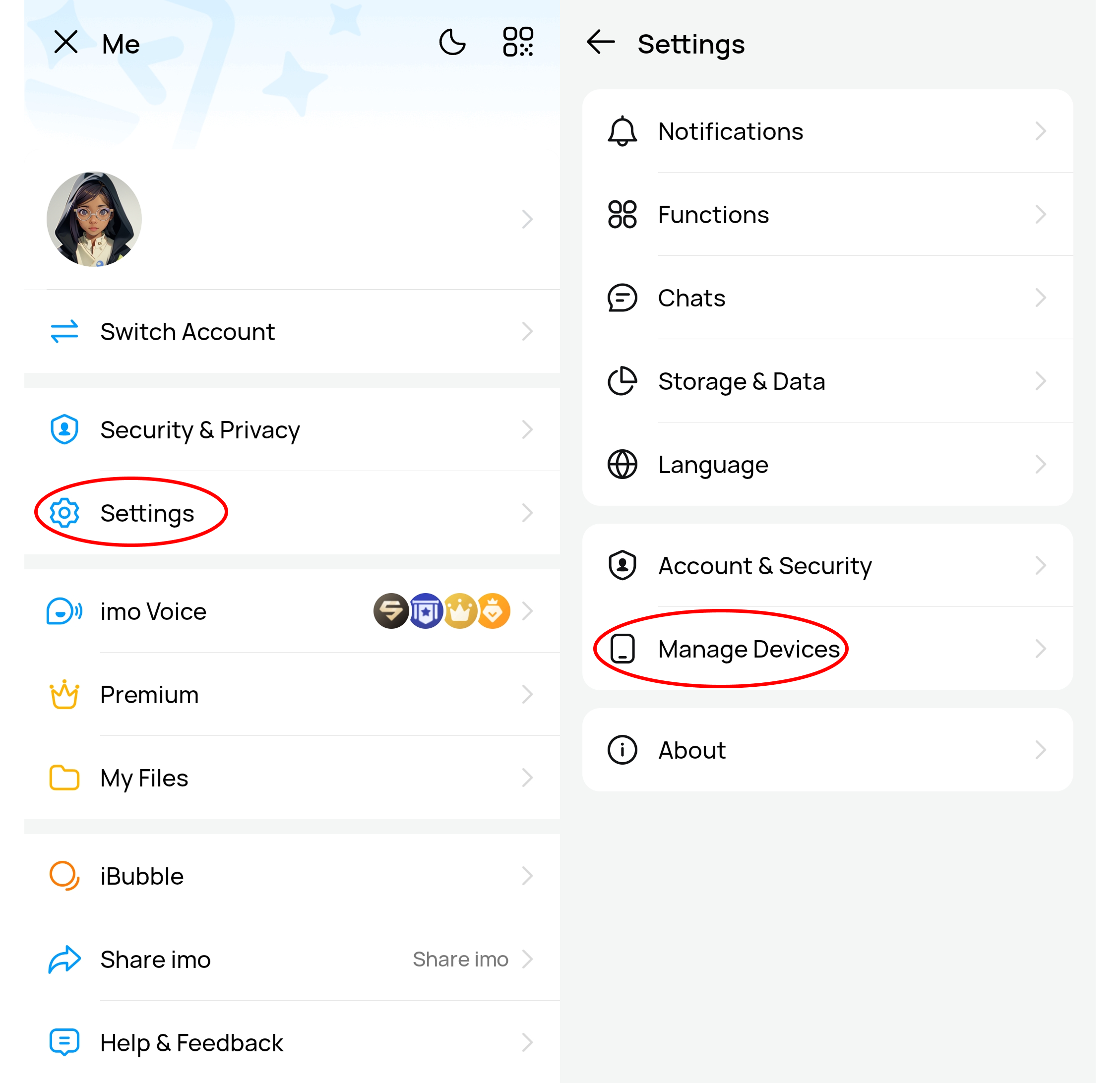
Your chat history may have been deleted due to unknown access to your account. To check if there is an unfamiliar device logging in to your account, you may find "X devices online" on the top of your home page - delete unfamiliar device.
To Remove an unfamiliar device:
- Enter your profile page
- Settings
- Account & Security
- Manage devices
- Remove unfamiliar device
7. Bug
If the problem persists, you may contact us for assistance as instructed:
- Enter your profile page
- Help & Feedback
- Tap the feedback center at the bottom
- Turn on the bottom button [Upload log]
- Send us the feedback.
Note:
1. If you cannot find the chat box to access the chat history you want to see, you can search for the contact on your contact list, and enter your chat with the contact on his/her profile.
2. To keep track of an important conversation, you can press the chat box to pin it on your chat list.