Instructions of Service Channel
To create a personal service channel
1) Enter Channels on your Contact list
2) Tap on [Create Channel]
3) Fill out avatar, name, and introduction

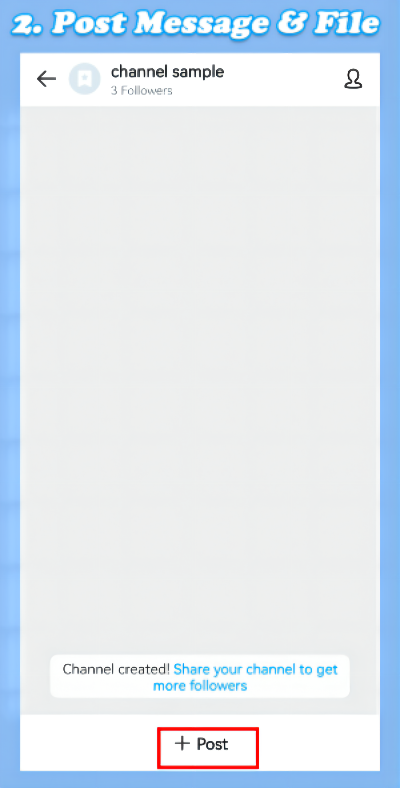
To post messages & files
1) Enter the Channels page
2) Tap on the POST
3) Choose pictures or files
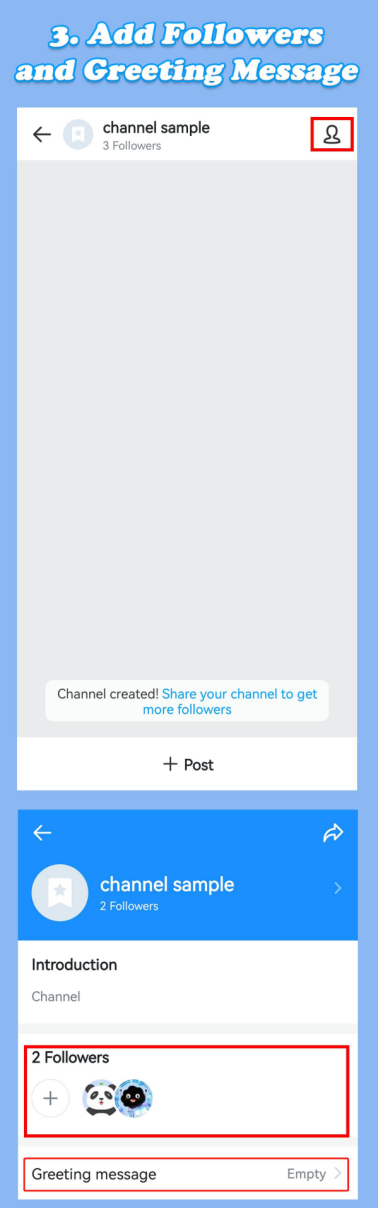
To add a greeting message
1) Enter the Channels page
2) Tap on the 👤 icon at the top right
3) Add a greeting message
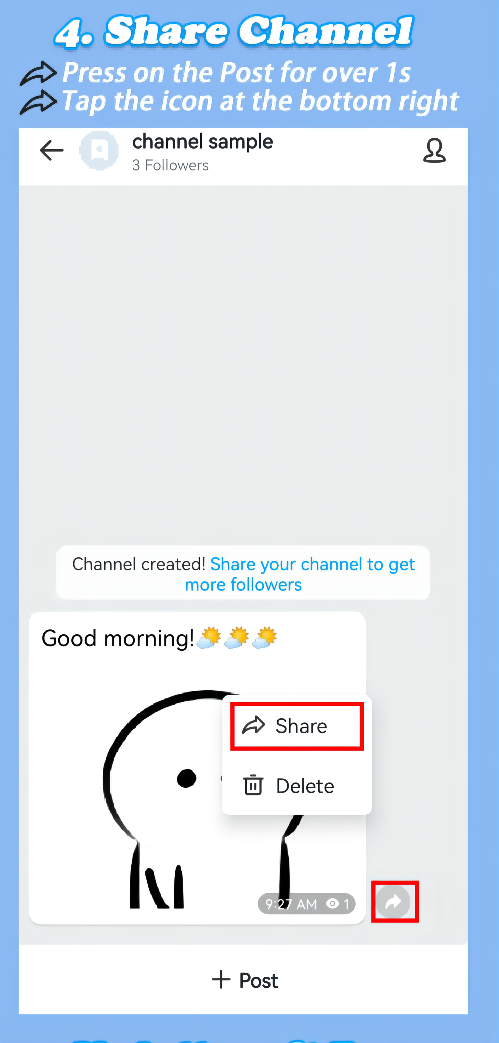
To share posts/Service Channel
1) Post: Press the post for over 1s
2) Channel: Enter the Channel page
and share it via the top-right icon.
3) Unfollow the Channel
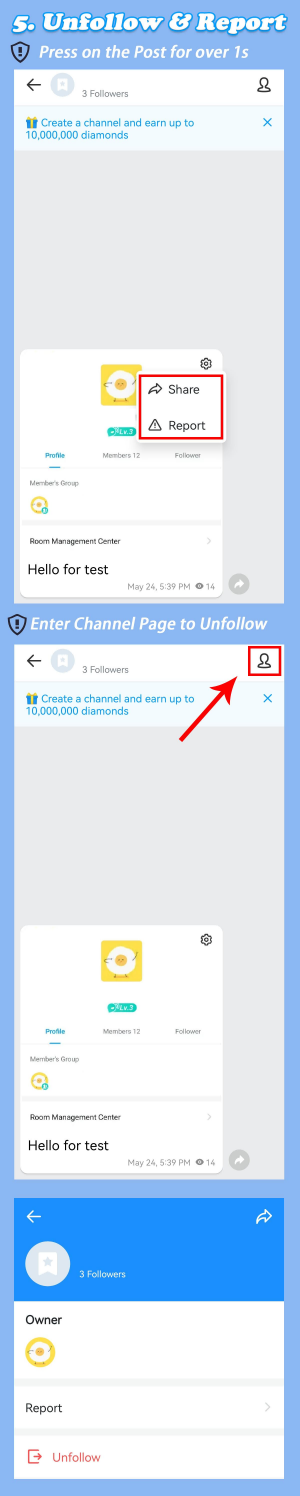
To unfollow a Service Channel
1) Enter the Channels page
2) Tap on the 👤icon at the top right
To report a Service Channel
1) Press the post for over 1s
2) Tap on the report
3) Select report reason
Note:
1. It is currently available only in imo
International Calls & Chat, android system.
2. All service channels will appear randomly in
the list of Explore Channels, regardless of
whether they are officially certified.