How to Create a Private Group
September 28, 2019 Imoteam
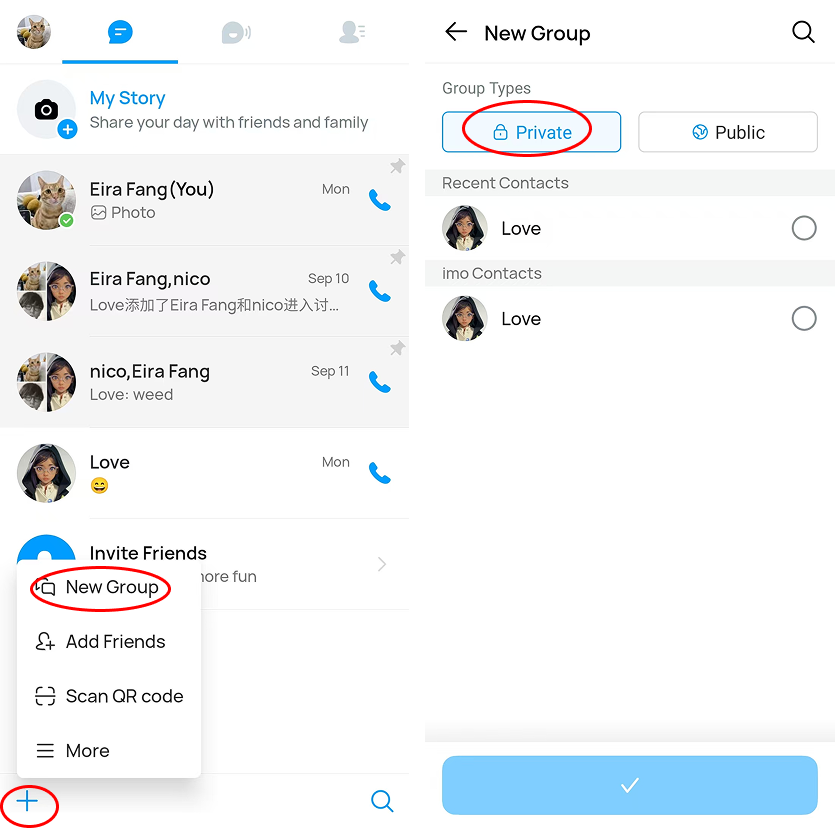
To create a private group, follow the steps below:
> Tap the “+” icon in the bottom-left corner
> Select New Group
> Choose Private as the group type
> Select and add group members.
Your private group will then be created successfully.