How to Create/View My Story Album
April 21, 2022 Imoteam
1. To create a story album:
You can enter your profile page
-Click [Story albums]
-Tap [+]
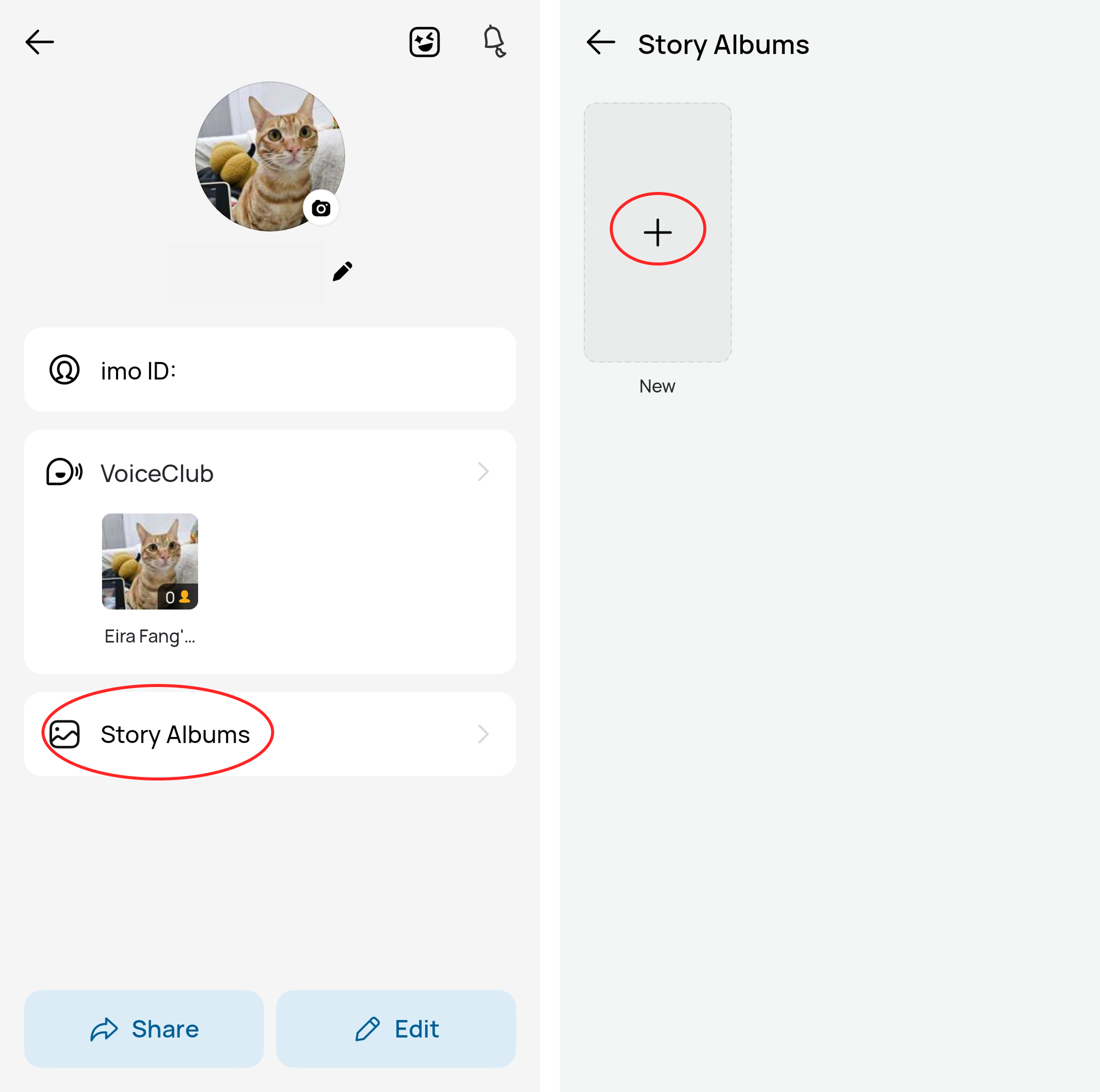
-Select your stories or add a new story to add in the story album
-Edit the name of your new story album and privacy options
-Click [√] to create
2. To view a story album:
You can click your profile to enter your profile page to view the album.
3. To delete a story album:
You can click your profile picture
-Enter your profile page
-Choose the unwanted story album
-Long press the unwanted one
-Delete
Then the story album will be removed.
For more information, see our blog: imo Story Album: Save Your Stories Beyond 24 Hours.