Seeing someone's face on a video call used to feel like enough proof that you were really talking to them. If your mom, boss, or friend called you on video, you probably didn't think twice about it. But with the rise of the AI video call scam, that assumption doesn't hold anymore.
Scammers now use real-time AI software to overlay someone else's face onto their own during live calls. In 2024, a finance worker in Hong Kong transferred $25 million after a video call with a deepfake of his company's CFO, according to Hong Kong police. As these tools become easier to access, being able to tell whether a video call is real has become a basic safety skill.
Even with strong hardware, these AI tools still struggle during live video processing. Here are 5 simple tests you can use during a live call to spot a possible deepfake.
How Does a Live Video Call Deepfake Work?
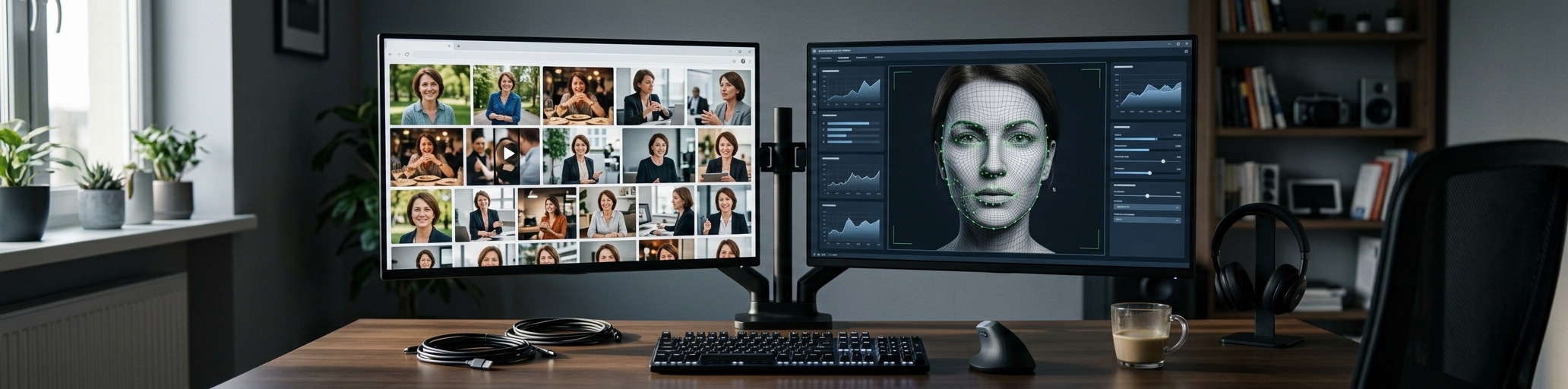
A live deepfake call usually works through a few steps that combine data gathering, real-time rendering, and hardware deception.
1. Data Collection and Target Training
The scammer downloads public photos or videos of the target (like a relative or a company manager) from social media. They use these files to train the AI to recognize the target's face from different angles. They also collect short voice clips, which can later be used to generate a cloned version of the person's voice during the call.
2. Real-Time Face and Expression Tracking
During the call, the scammer sits in front of their own webcam. Live AI software tracks the scammer's face in real time, mapping key points on their eyes, nose, and mouth to capture every blink and lip movement. At the same time, the AI adjusts tone and pacing in real time to match the target’s speaking style.
3. Instant AI Face Swapping (The Render)
As the scammer speaks, the GPU processes the video in real time. The AI algorithm instantly takes the expressions and mouth movements of the scammer and projects the target person's face on top of them. This "stitching" process happens frame by frame, usually at 30 frames per second, to generate a continuous live video mask.
4. Routing via a Virtual Camera
To get this fake video into apps, the scammer uses a "Virtual Camera" driver. This software tricks the phone or computer into thinking a real webcam is running, but it actually streams the AI-generated fake face into your live call screen.
5 Real-Time Tests for Video Call Deepfake Detection
1. Ask for a 90-Degree Side Profile Turn
Most AI face-swapping software relies on clear data of the target's face, which is usually gathered from public photos and front-facing videos. The algorithm maps key points like the eyes, nose, and mouth.
Large head movements may expose visual artifacts that are harder to notice when the subject faces the camera directly. Ask the caller to look completely to their left or right. Watch for facial edge distortion, stretching around the cheeks, or brief glitches during the movement.

2. The Hand Obstruction Test
While modern AI models handle face obstructions better now, sudden hand movements can still create visual inconsistencies in some real-time face-swapping systems. Ask the caller to wave their hand rapidly across their face or cover one eye. Look for ghosting, brief blurring, or unnatural edges around the fingers during fast movement.
3. The Lighting Shift Test
If the caller is using a smartphone, ask them to turn on their phone flashlight and point it toward their face, or ask them to walk over to a window. On a genuine call, shadows on the nose and jawline shift instantly with the light. If the face lighting looks disconnected from the rest of the room, that’s worth paying attention to.
4. Observe Blinking and Physiological Flaws
Look closely at how often the person blinks and where they are looking. Pay attention to whether the eyes track naturally with head movements, and check the jawline, ears, hairline, and neck area where blending inconsistencies may appear.
5. Check Audio-to-Lip Synchronization
Live video calls require a lot of bandwidth, and adding an AI face-swapping tool adds another layer of data processing. This extra processing creates a delay.
Ask the caller a question that requires a complex answer, rather than a simple "yes" or "no." Watch their mouth closely. If the lips consistently lag behind the speech or don't match the words being spoken, the call deserves a closer look.
No single test is enough to confirm a deepfake, but multiple issues together should raise suspicion.
Why Live Deepfakes Fail in Real-Time
To understand video call deepfake detection, you need to understand the pressure these systems put on computers. During a live stream, the software must capture the scammer’s face, alter it to match the victim’s acquaintance, and render it back into the video feed at 30 frames per second.
This process leaves no room for post-production editing. In a pre-recorded deepfake video, creators spend days fixing glitches frame by frame. In a live call, the software must make guesses instantly. Poor internet connections, network jitter, and packet loss make it even harder for the AI to maintain a perfect mask. This is why small, physical tests like turning the head or waving a hand break the illusion.
The "10-Second Disconnect" Trick
Scammers know that the longer a live deepfake runs, the higher the chance it will glitch. To reduce the risk of being exposed, they often mix video calls with follow-up text messages.
You receive a video call on your messaging app. You answer, and you see your friend's face. They look panicked and say in a cloned voice: "Hey, I'm in trouble, I just got into an—"
Then, the call cuts off abruptly. To you, it looks like a normal network drop.
A second later, a text message arrives from the same account: "Signal is too weak here. My battery is dying. I need emergency cash for a hospital deposit immediately. Please transfer money to this account."
By faking a dropped call, they avoid exposing the weaknesses of the AI video in real time. If a video call drops and is quickly followed by a money request, treat it as suspicious. Hang up and call them back on a standard cellular line to verify.
How Your Video Call App Affects Security
The app you use also affects how easy it is to spot these scams. Some messaging apps heavily compress video data to save server costs. High video compression creates a blurry, pixelated image. Ironically, this blurriness works in favor of scammers, because low resolution hides the small pixel tears, mismatched skin tones, and digital artifacts caused by AI tools.
That's why video clarity matters. When the video quality remains crisp, you can easily spot the empty stare, rigid lip movements, or edge distortions that give away a deepfake mask. Detecting deepfakes is only part of staying safe online; practical safety tips for video calls with strangers matter as well.
FAQs
What are these deepfake video call scams usually used for?
They are almost always used to steal your money, especially in romance scams (or "pig butchering"). Scammers build trust online and then use a quick deepfake video call to "prove" they are a real person before asking for cash or crypto. They also use this trick to pose as your boss or a relative demanding an emergency wire transfer.
Can deepfakes be created directly on a mobile phone?
Basic face-swapping apps can run on a phone, but the quality is very low. High-end scams generally require a powerful desktop computer to render the AI mask smoothly, which they then feed into mobile apps using a virtual camera setup.
Are there automated tools to detect deepfakes during a call?
Security companies are working on automatic detection tools, but they aren’t widely available in consumer apps yet. For now, relying on behavioral tests like the profile turn is still your best option.
Sources:
https://vsquare.org/when-your-clone-calls-how-ai-voice-fraud-became-a-billion-dollar-industry/
https://www.ncoa.org/article/understanding-deepfakes-what-older-adults-need-to-know/