স্বয়ংক্রিয়ভাবে অ্যাকাউন্ট থেকে লগ আউট
If you encounter auto-logout of your account,
1. You may be removed from your account by another user using your account. If you are the account owner, you may log in with a verification code from imo. You may upgrade imo to the latest version to check login device information and remove the unwanted device via 'Manage devices'.
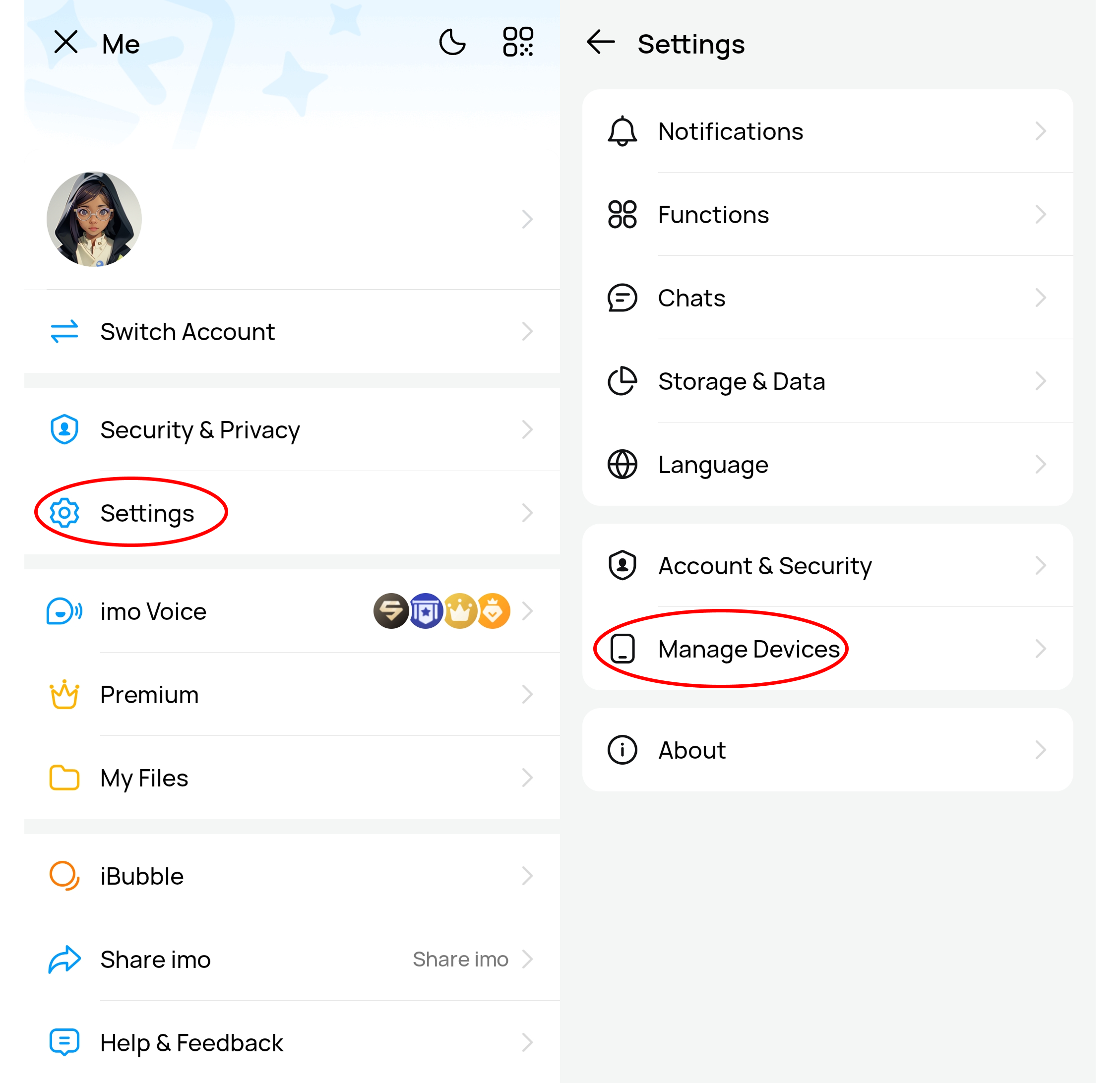
① To find the 'Manage devices',
go to your Profile page
- Settings
- Manage devices.
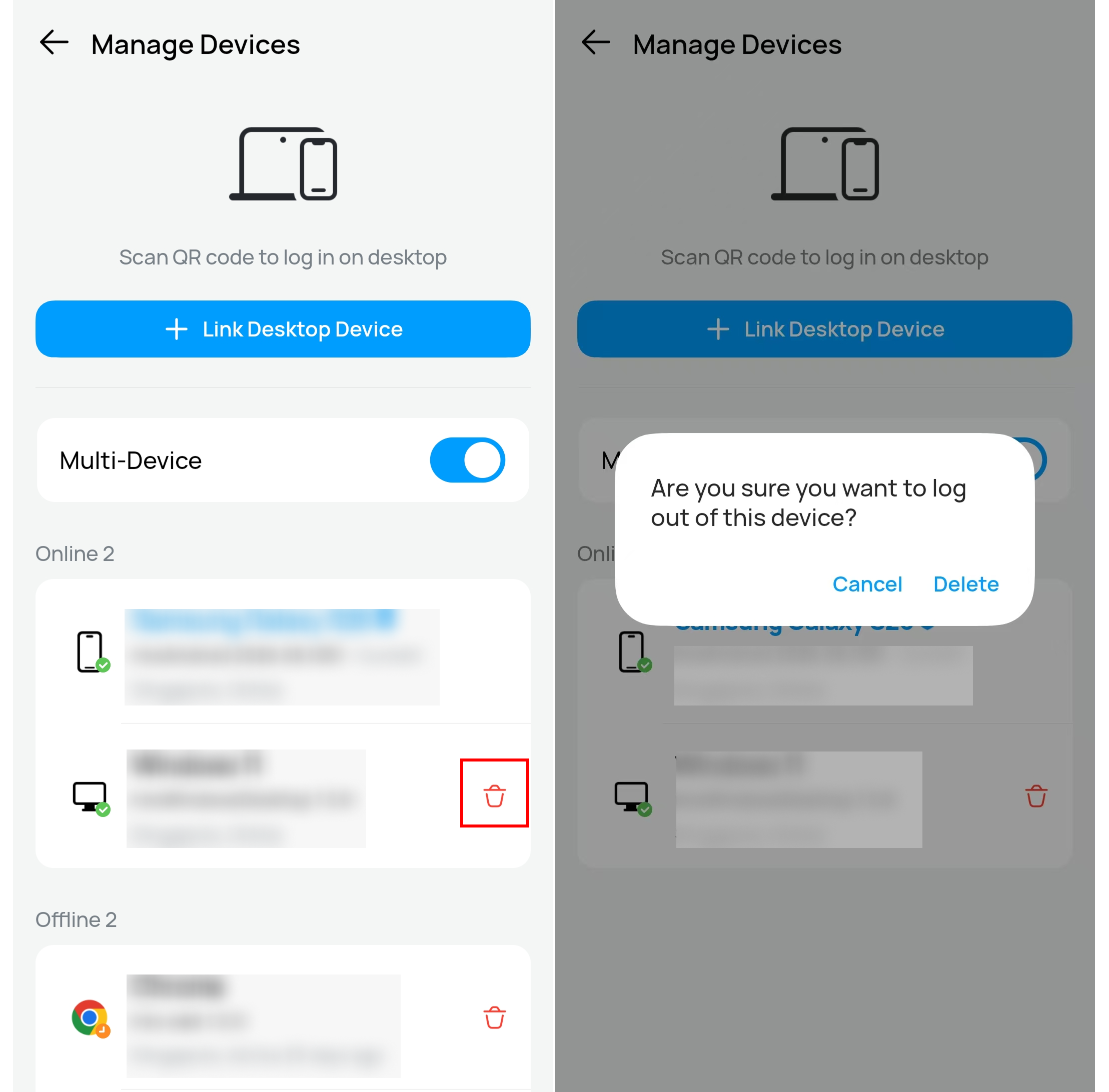
② To remove the unwanted device, You can click the arrow button '>' beside the unwanted device - Delete & Confirm.
To secure your account, please do not log in an unknown device, click malicious links, let out the verification code or other privacy.
2. If it keeps showing an invalid phone number, your account is probably banned due to violations. It includes:
A. Impersonating imo official account (Only imo official is allowed to show 'imo' in profile picture or use a name containing 'imo');
B. sending improper chat messages;
C. violating community guidelines several times. If there was a violation, it cannot be reactivated at present. Please try to register with a new phone number.