কিভাবে imo থেকে লগ আউট করবেন?
November 09, 2023 Imoteam
To log out of your imo account, follow the steps below for your device.
On Android or iOS:
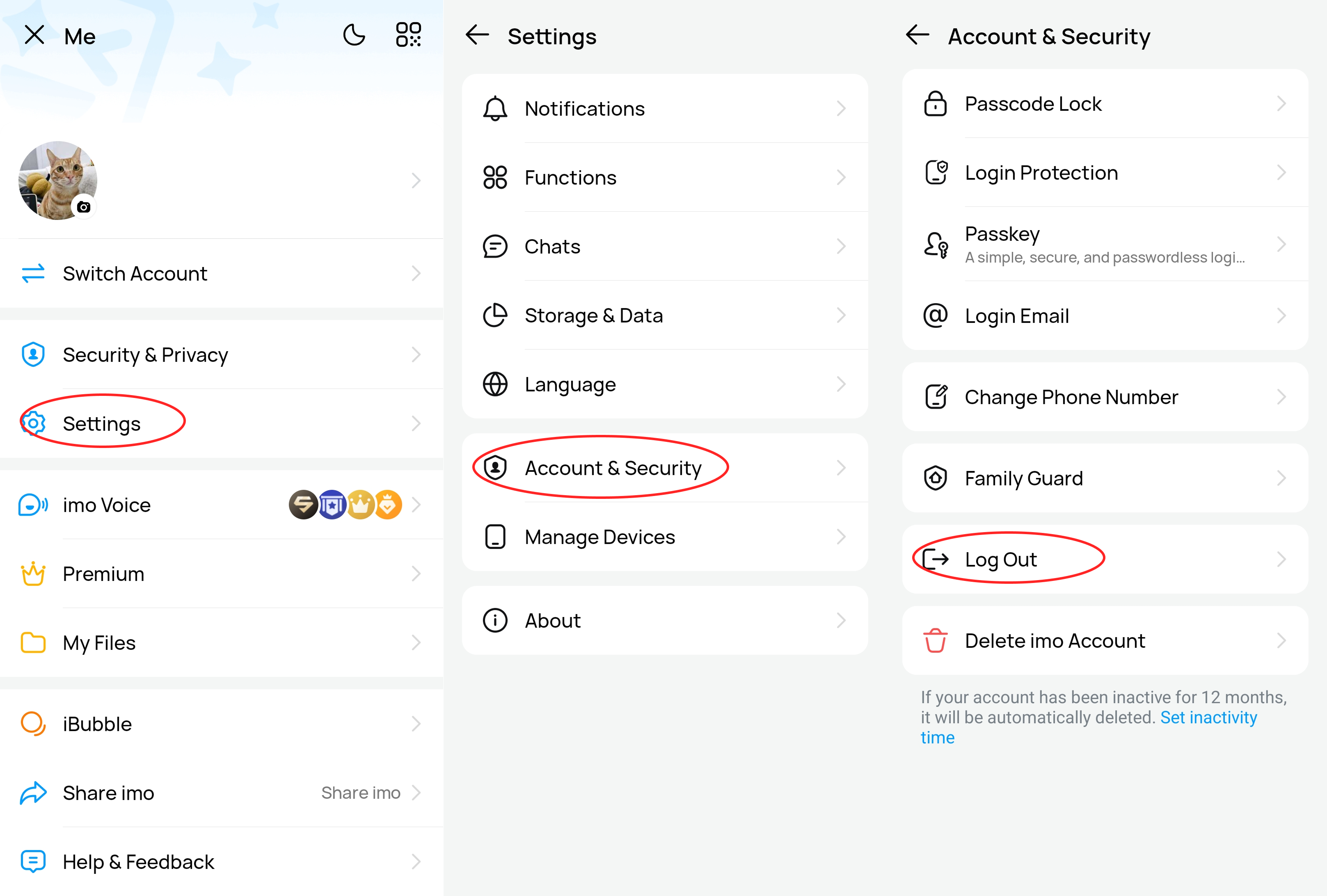
1. Open the imo application and sign into your account.
2. Tap the list at the top, usually displaying your profile picture.
3. In the menu, find the "Settings" option and click on it.
4. In the Settings page, you should be able to find the option "Account & Security".
5. In the Account & Security page, you should find the "Log Out" option.
6. Click on "Log Out," and then confirm your choice.
On imo Desktop or imo Web, click your profile picture, then select Log Out.