Blocking someone on a messaging app usually stops them from sending you direct messages or calling you. Previous chats may remain, while access to profile information and interactions in shared groups varies by app.
Messages and Calls No Longer Reach You
On imo, a blocked contact cannot send you direct messages or make voice or video calls. A message sent after the block may show one blue check on the sender’s screen, meaning it was sent but not delivered. Calls from the blocked contact will appear as rejected on their side, while you will not receive an incoming-call notification.
They Are Not Told About the Block
When you block someone, they will not receive a notification telling them that they have been blocked.
They may notice that:
* Their messages remain undelivered.
* Their calls no longer connect.
* Your online status or last seen time is unavailable.
* They no longer see updates to your profile photo.
These changes may suggest a block, but they can also result from connection problems, privacy settings, or an inactive account.
They May See Less of Your Profile
A blocked person may no longer see updates to your avatar, online status, or last seen time. Some information from your profile, Story Album, or VoiceClub may also become unavailable.
Blocking does not remove information they previously saw or saved. A photo or file downloaded before the block can remain on their device. Story visibility also depends on the audience settings selected for each post. Review your Story audience settings if you want to limit access to future updates.
Group Actions May Be Restricted
A blocked contact cannot add you directly to a new imo group and may also be unable to share your contact card or forward voice messages from the chat. Blocking does not remove either account from an existing shared group. If you no longer want to participate, leave the group separately.
Previous Chats Are Not Automatically Erased
Blocking a contact does not delete the existing conversation. Messages and files exchanged before the block may remain in your chat history. You can delete the conversation separately if you no longer want it on your device. Deleting the conversation from your device does not remove copies already received or saved by the other person. Deleting a contact is also different from blocking one. Deleting removes the person from your contacts, while blocking prevents new direct messages and calls.
What Happens After You Unblock a Contact
Once the contact is unblocked, they can send new messages and call you again. Unblocking does not automatically restore anything you deleted, such as the contact entry or chat history. If you only want a temporary break from notifications but still want to receive their messages, muting the chat may be more suitable than blocking.
How to Block or Unblock Someone on imo
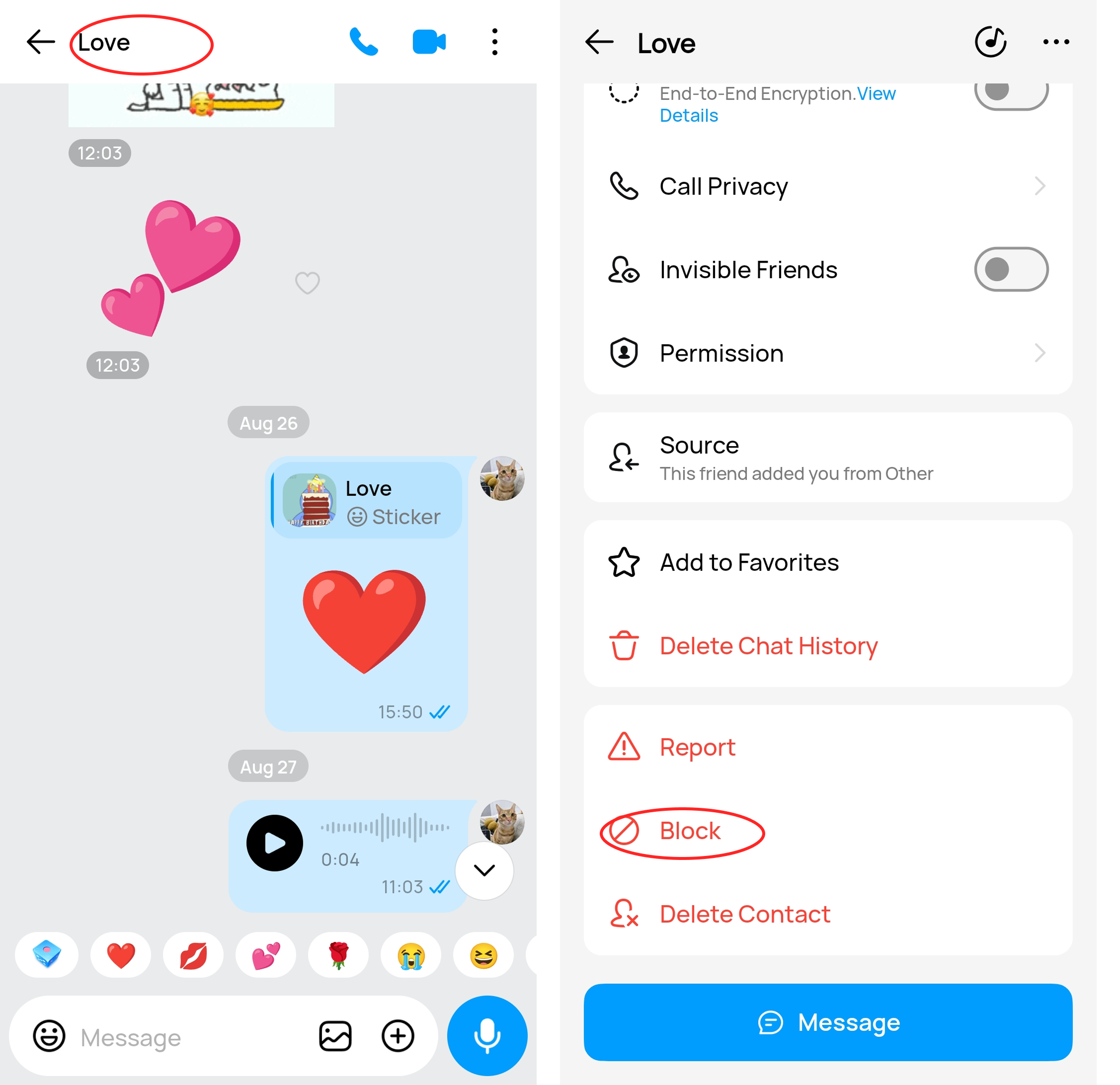
Blocking is available from the contact’s profile. Open the conversation, tap the person’s name, and scroll to the bottom of the profile. Select Block and confirm.
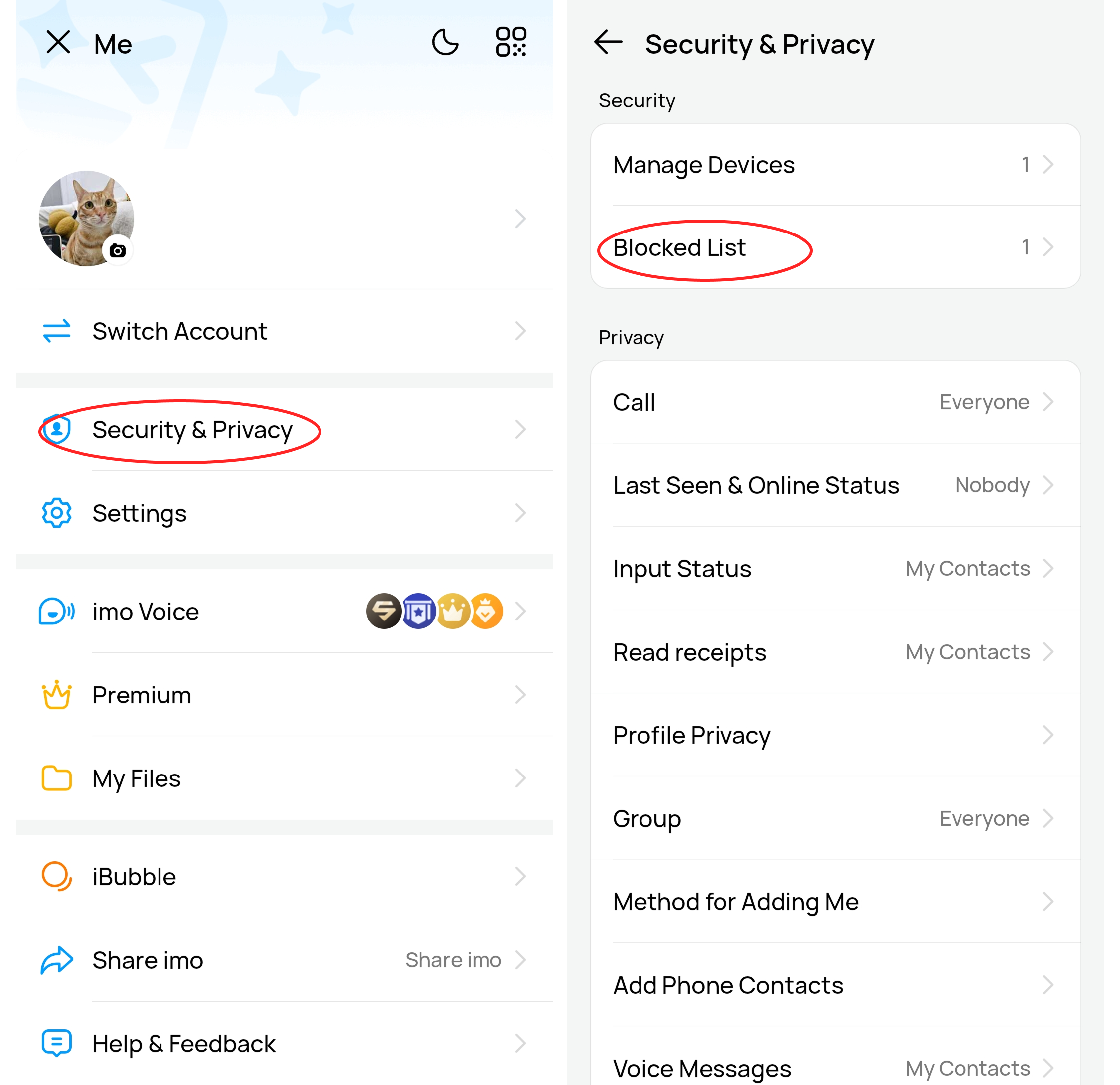
To reverse the block, return to the same profile and select Unblock. If the conversation is difficult to find, open Security & Privacy > Blocked List, locate the contact, and tap Unblock. The contact can send new messages and make calls again once the block is removed, but any contact information or chat history deleted manually will not be restored.