Read receipts let others know when you've read their messages. If you'd prefer not to share that information, imo allows you to control who can see your read status.
With the right privacy settings, you can read messages at your own pace without feeling pressured to reply right away.
Table of Contents
How to Turn Off Read Receipts on imo
Updating your privacy profile takes less than a minute. Follow these quick steps on your mobile device:
- Open the imo app on your phone.
- Tap ME (your profile picture) in the top-right corner of the screen.
- Open the Security & Privacy
- Tap on Read Receipts.
- Select your preferred audience under “Who Can See My Read Receipt”. You can choose between Everyone, My Contacts, Custom, or Nobody depending on how much privacy you want.
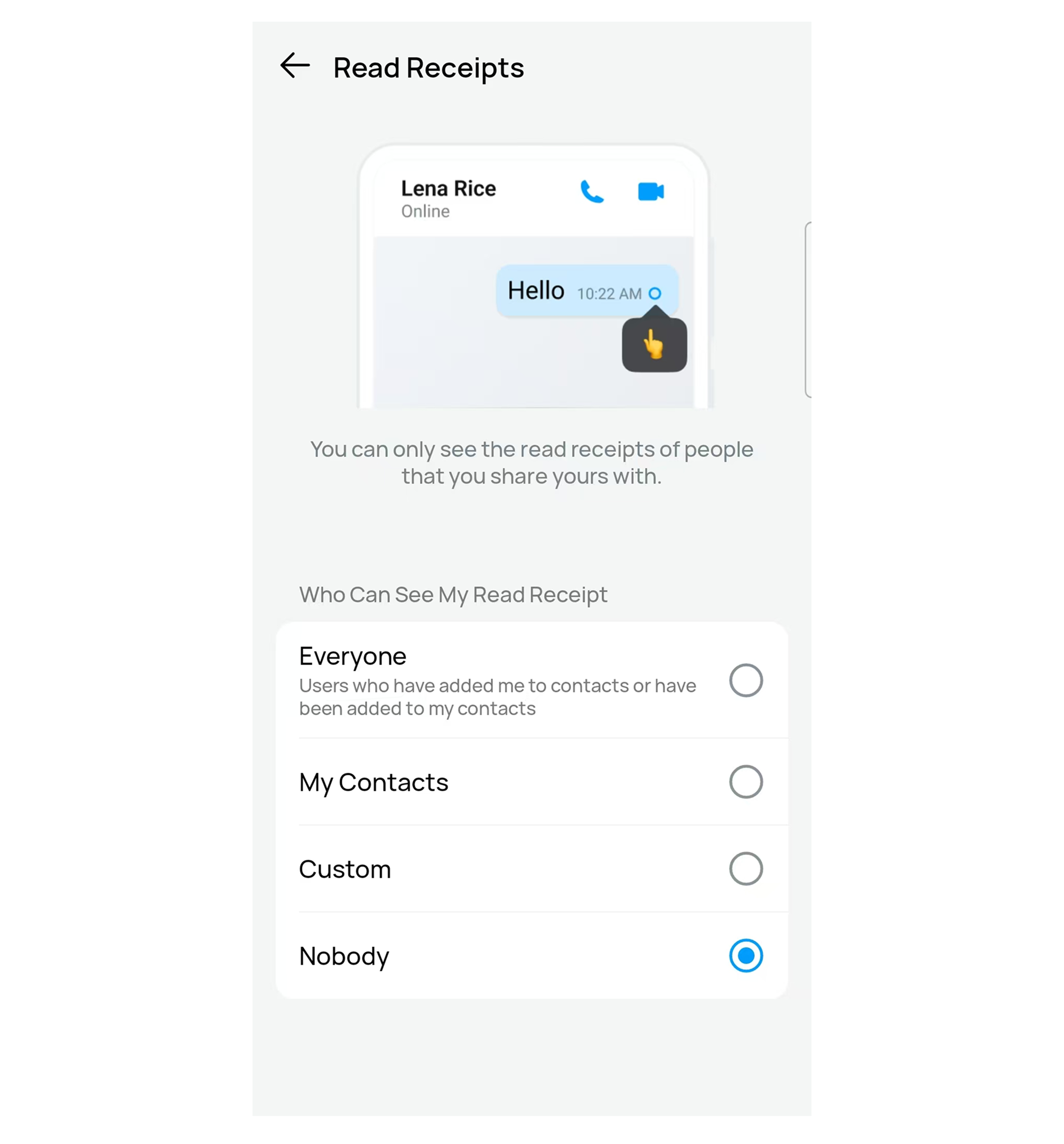
Your preferences save instantly, giving you a more private, pressure-free messaging experience. This setting controls who can see if you have read their messages. Choosing "Nobody" ensures that when you open and view someone's message, they will not receive a read indicator.
Read receipts work both ways. If you choose not to share your read status with someone, you will not be able to see theirs either.
More Privacy Tools in the Same Menu
While adjusting your read receipts, you can find a few more tools in that exact same Security & Privacy menu. Tweaking these settings can help you even further reduce the pressure of replying and let you chat entirely at your own pace:
Last Seen & Online Status: This feature lets you choose who can see whether you are currently online or when you were last active. Setting it to Nobody stops others from tracking your app usage.
Real-Time Typing Status: Turning this off allows you to draft and edit your replies completely in private until you are ready to press send.
FAQs
1. Can I hide read receipts from specific people?
Yes. The Custom option allows you to choose who can and cannot see your read status.
2. If I turn off read receipts, can I still see other people's read status?
Only if you share your read receipts with them.
3. Does turning off read receipts affect message delivery?
No. Messages will still be delivered normally. The setting only controls whether others can see that you have read a message.
Read receipts can be useful, but they are not for everyone. By adjusting your privacy settings on imo, you can control who can see when you've read messages, helping you communicate more comfortably and on your own terms.