Why Is imo Asking You to Pay?
If you encounter issues like being unable to search for friends or being prompted to pay when downloading imo, it’s usually because you’ve installed the wrong paid US version. This can happen if your app store is set to the US (US Region), you’re using a VPN to access the US store, or your Apple ID / Google account is registered in the US.
The US app store offers an older, paid version of imo that is no longer updated and is not cross-platform compatible with other countries’ versions.
The free version of imo is not available on the US App Store or Play Store. Please follow the official guide to download the free version and access all features without restrictions.
How to Download the Official Free Version of imo
For Android Users
- Download from the official website (recommended)
Whether or not you use a VPN, the most straightforward way is to visit the official website. Go to the “More Versions” page for your device and download the installation package directly (e.g., Android APK).
- Use Google Play
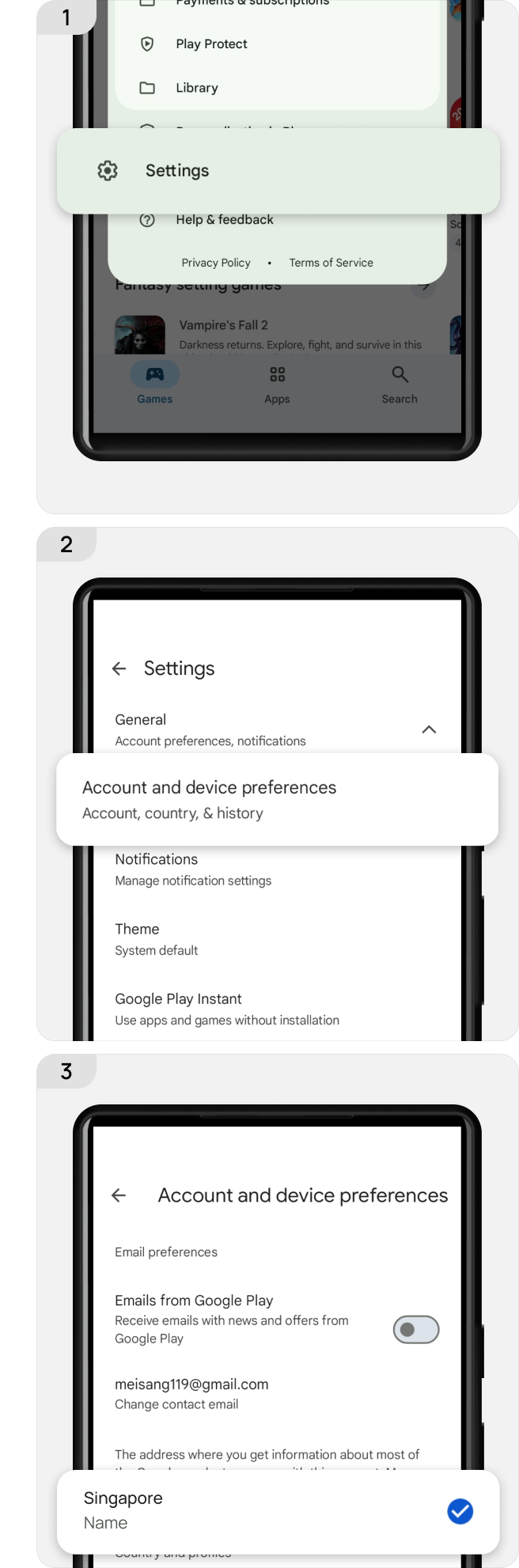
Check your Play Store region and avoid using the US region. Turn off any VPN or switch to your local network, and log in with a Google account from your country. Go to Settings → General → Account and device preferences → Country/Region & profiles to check your country. If it shows “United States,” change it to your actual location.
Google Support – Change country in Play Store
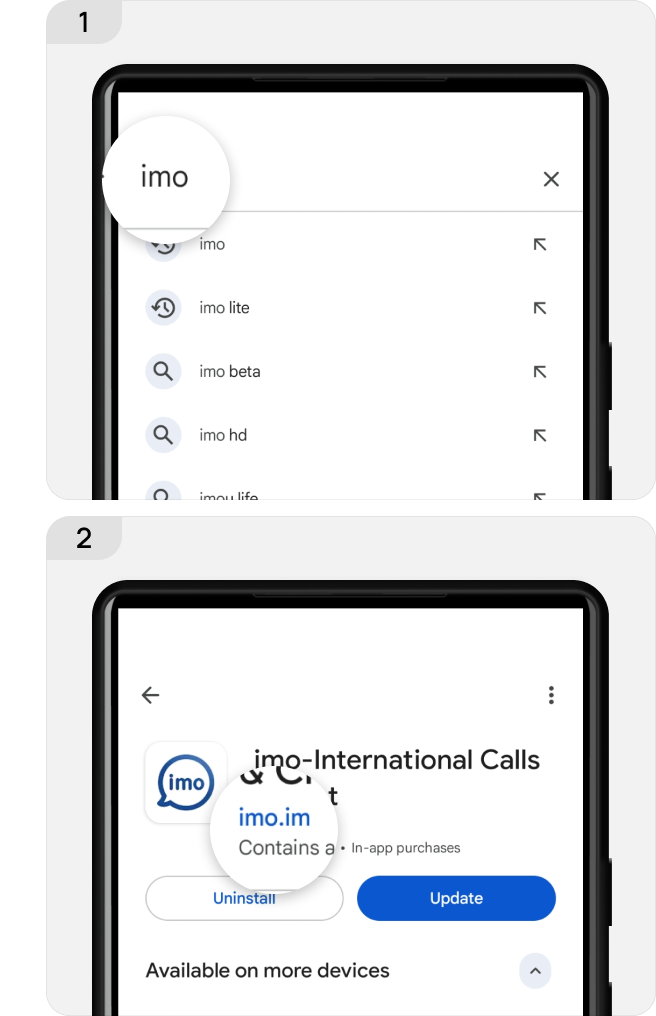
Then search for imo again, confirm the developer is imo.im, and complete the installation.
For iOS Users
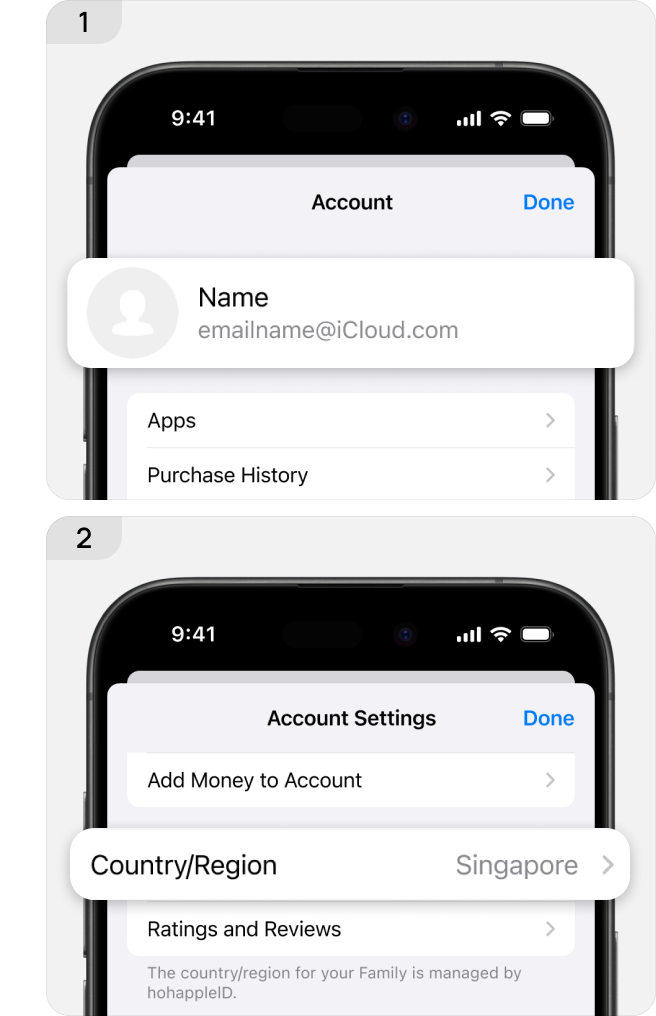
Check your Apple Store region: Open the Settings app → tap your name → Media & Purchases → View Account → check your account region. If it shows the United States, switch to your country, or use a non-US Apple ID directly (some accounts may not allow region changes due to balance or active subscriptions).
Change your Apple Account country or region - Apple Support
Then search for imo again, confirm the developer is imo.im, and complete the installation.
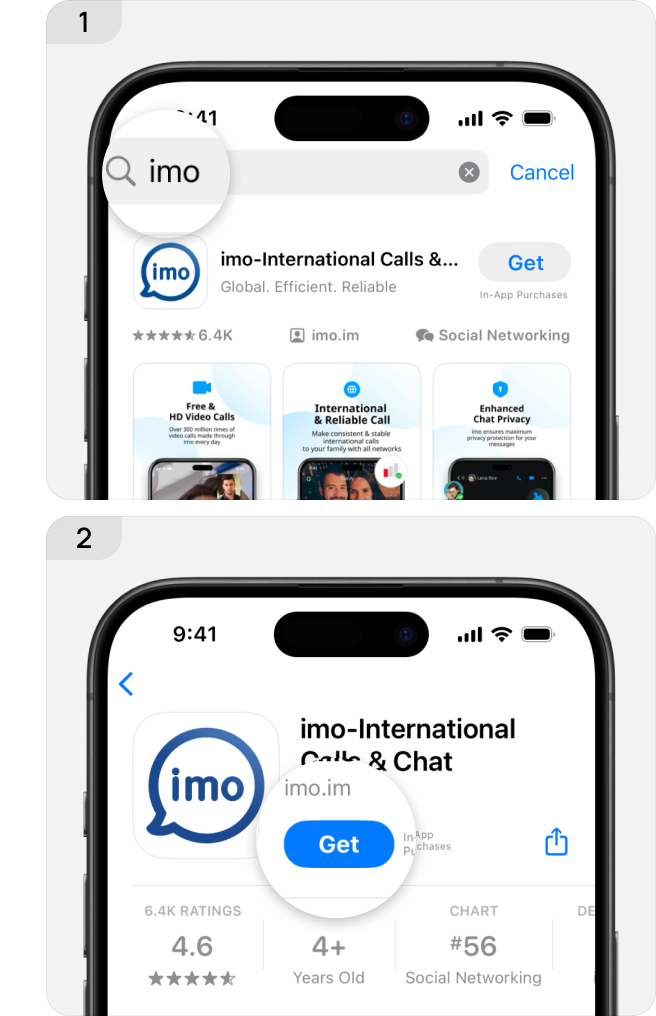
If you have already installed the US version of imo, please uninstall it first. Then, follow the steps above to download the correct global version. If you encounter any issues during the download process, please contact our customer service at feedback@imo.im.
If you prefer not to download the app, you can also use imo Web directly in your browser for messaging: https://web.imo.im/
Finally, imo reminds all users: the official global version of imo never charges any download fees. Please verify before downloading to avoid financial loss. We are also actively working to obtain brand and operational rights in the US, aiming to resolve this long-standing issue and provide a unified, barrier-free communication experience for users worldwide.