Managing where your imo account stays logged in helps keep your conversations and account access private. Old phones, shared devices, tablets, or temporary logins can stay connected longer than expected if sessions are not checked regularly.
With Manage Devices on imo, you can quickly see where your account is logged in and remove devices you no longer want connected. This makes it easier to stay in control of your account activity and reduce unwanted access.
imo also supports disabling Multi-Device login. Once enabled, your account can stay logged in on only one mobile device at a time. This helps prevent your account from staying active across multiple mobile devices at the same time.
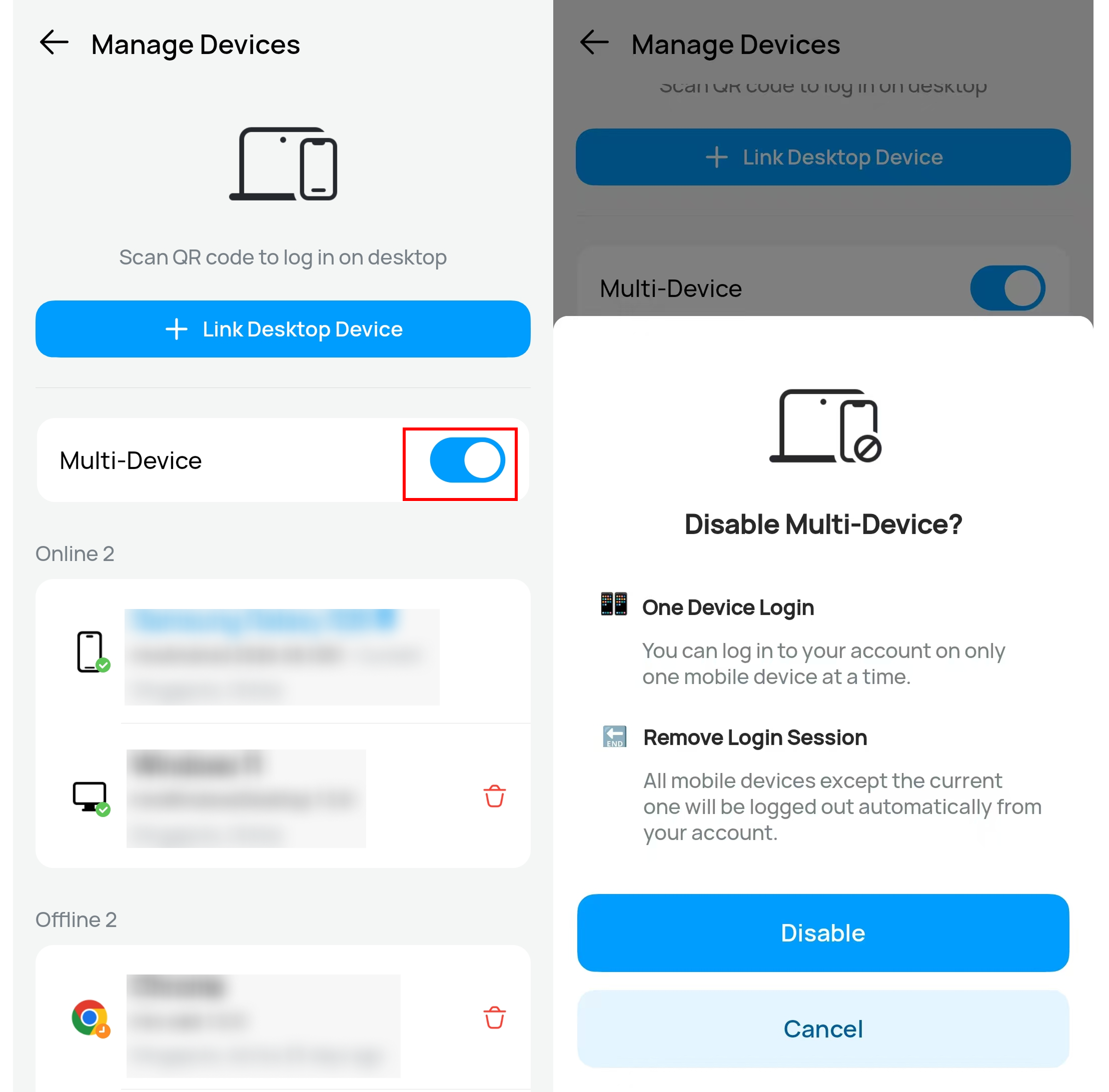
Logging in across phones, tablets, or web browsers (yes, imo Web is now live) makes it easier to forget old sessions and connected devices. Features like Remove Login Session and Disable Multi-Device help give users clearer control over where their account stays active.
Checking connected devices regularly can help keep your account more secure, especially after switching phones or using another device temporarily. Manage Devices on imo is designed to make account access easier to review, easier to control, and easier to secure whenever needed.