هل يمكنني حذف قصتي على الايمو؟
December 28, 2023 Imoteam
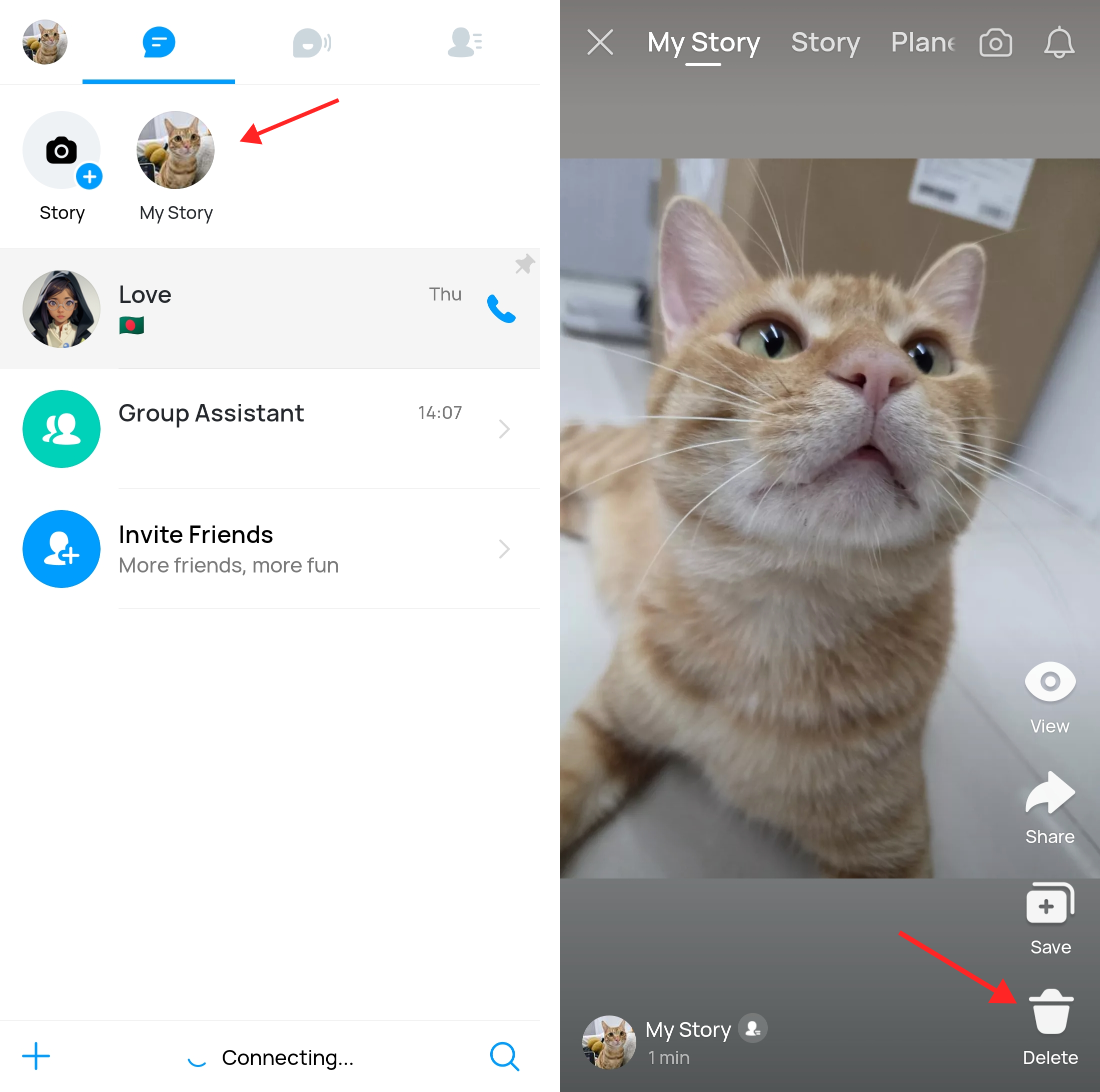
Yes, you can delete your story on imo. Here's how you can do it:
1. Open the imo app on your device.
2. Go to the "My Story" at the top of the app.
3. Find the story that you want to delete.
4. Tap on the trash can icon in your story.
5. Select the "Delete" option from the menu.
6. Confirm the deletion when prompted. Once you've completed these steps, your story will be deleted from imo.
Keep in mind that once you delete a story, it cannot be recovered, so make sure you want to remove it before confirming the deletion.